
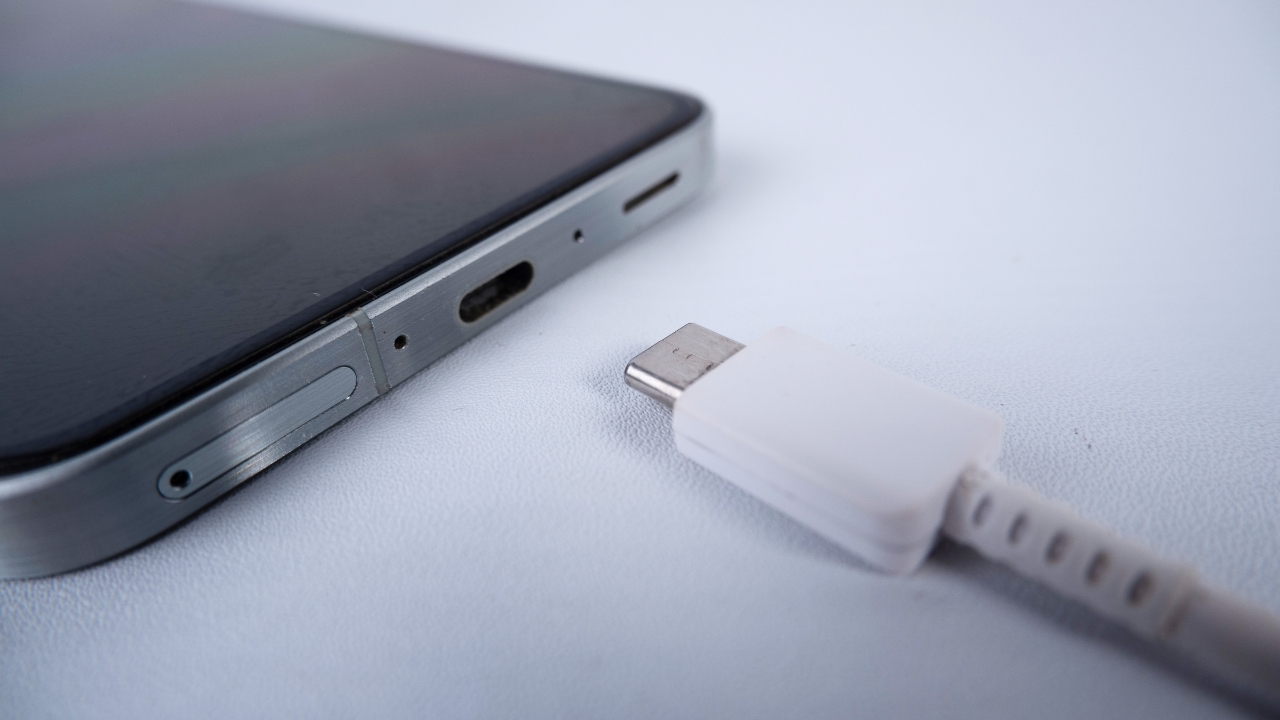
Buying a USB-C cable should be simple, but somehow it still feels like shopping for a laptop part. One cable charges a phone quickly. Another looks identical but barely moves data. A third says “240W” on the box, then quietly supports only USB 2.0 transfer speeds. That is exactly why this guide to the best usb c cables 2026 focuses on real use, not shiny marketing words.
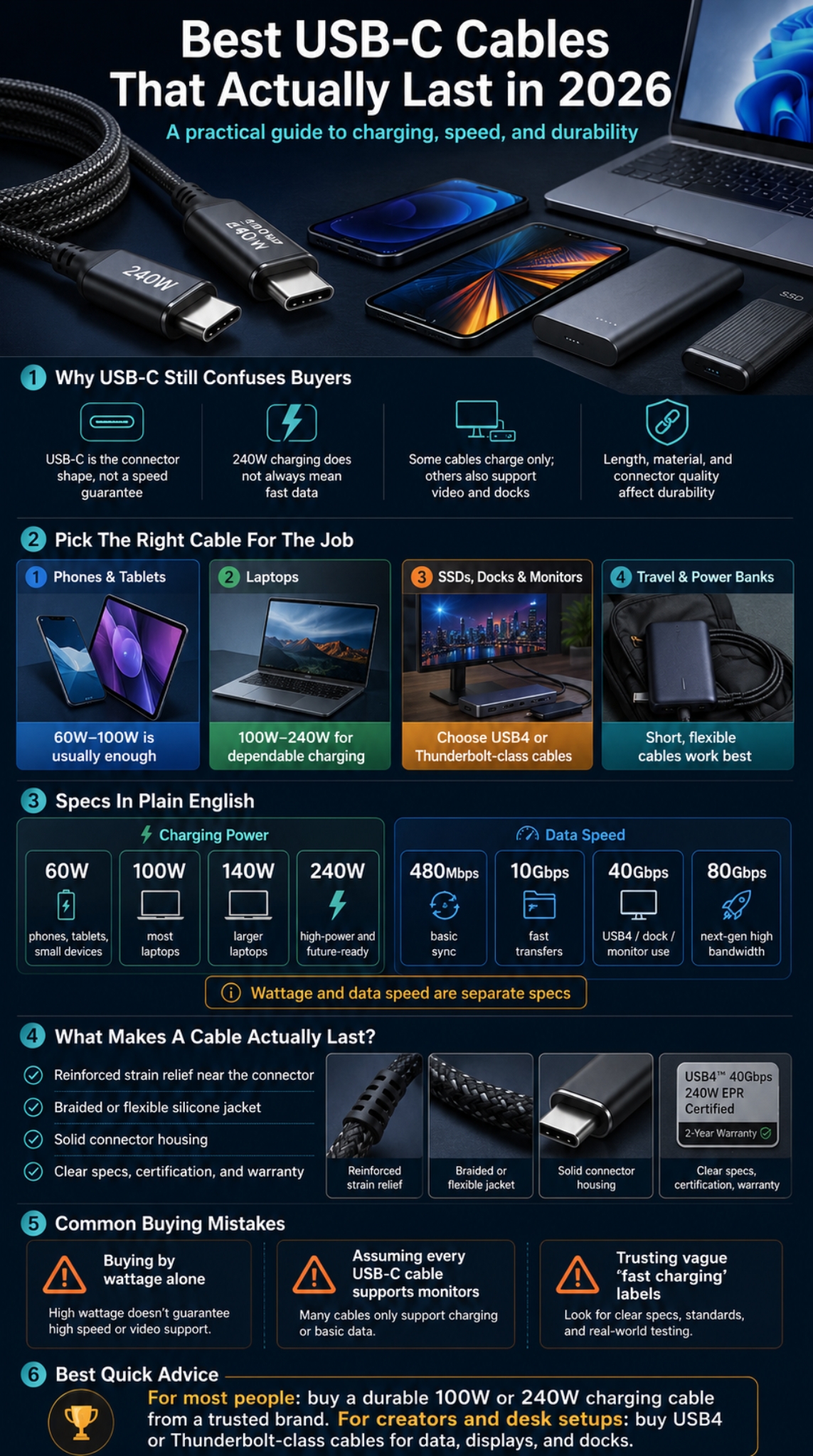
The big thing to know is this: USB-C is only the connector shape. It does not automatically mean fast charging, USB4 speed, video output, Thunderbolt support, or long life. USB Power Delivery can now support up to 240W, but your charger, device, and cable all need to support the right power level for that to matter.
For most people, the best cable is not the most expensive one. It is the cable that fits the job: phone charging, laptop charging, external SSD transfers, gaming handheld use, travel, or desk setup. Let’s make the choice easier.
Why USB-C Cables Are Still Confusing In 2026
USB-C became common across phones, tablets, laptops, gaming handhelds, earbuds, monitors, power banks, and chargers. The problem is that the port looks the same even when the cable inside is very different. A cheap cable may be fine for charging earbuds but useless for a laptop dock.
A cable can support high wattage but still have slow data speed. Apple’s 240W USB-C Charge Cable, for example, supports up to 240W charging but transfers data at USB 2 rates. That does not make it a bad cable. It simply means it is built mainly for charging, not high-speed file transfer.
|
Cable Claim |
What It May Actually Mean |
What To Check |
|
USB-C |
Connector shape only |
Wattage, data speed, video support |
|
240W |
High-power charging support |
Whether it also supports fast data |
|
USB4 |
High-speed data/video capability |
20Gbps, 40Gbps, or 80Gbps rating |
|
Braided |
Better outer durability |
Connector strength and warranty |
|
Fast charging |
Vague marketing phrase |
USB PD wattage rating |
Best USB C Cables 2026: Quick Shortlist
The best usb c cables 2026 should be picked by use case. A phone user does not need the same cable as a video editor using external SSDs. A MacBook user may only need strong charging, while a workstation user may need USB4 or Thunderbolt support.
Here is a practical shortlist by need. Product availability and price can change, so treat these as strong examples, not permanent rankings.
|
Use Case |
Good Cable Type |
Example Pick Style |
Best For |
|
Most people |
100W or 240W charging cable |
Anker Prime 240W-style cable |
Phones, tablets, laptops |
|
Apple users |
240W woven charging cable |
Apple 240W USB-C Charge Cable |
MacBook and iPad charging |
|
Fast data/video |
USB4 or Thunderbolt cable |
Cable Matters USB4/Thunderbolt-style cable |
SSDs, docks, monitors |
|
Budget charging |
60W or 100W cable |
Trusted brand braided cable |
Phones and small laptops |
|
Travel |
Short 1ft–3ft USB-C cable |
Compact braided or silicone cable |
Power banks and bags |
|
Desk setup |
6ft–10ft charging cable |
Durable long cable |
Bedside and workstation use |
How We Picked The Best USB C Cables 2026
A good USB-C cable has to do more than survive a few weeks in a backpack. I looked at charging support, data speed, cable length, material, connector strength, certification, warranty, and real-world usefulness.
For charging, USB Power Delivery matters most. Newer USB PD power levels can reach 240W through 28V, 36V, and 48V fixed voltage levels. For data, USB-IF cable logo guidance separates charging wattage from performance ratings, which is important because some 60W or 240W USB 2.0 Type-C cables only deliver up to 480Mbps data.
|
Selection Factor |
Why It Matters |
What Readers Should Look For |
|
Charging wattage |
Decides phone/laptop charging ability |
60W, 100W, 140W, or 240W |
|
Data speed |
Matters for SSDs, docks, and monitors |
5Gbps, 10Gbps, 20Gbps, 40Gbps, 80Gbps |
|
Cable build |
Affects long-term use |
Braided jacket, strong neck, solid connector |
|
Certification |
Helps avoid vague claims |
USB-IF logo or clear spec labeling |
|
Length |
Affects comfort and performance |
3ft for travel, 6ft for daily use |
|
Value |
Prevents overspending |
Buy based on actual device needs |
Charging Performance
For phones, 60W is already more than enough in most cases. For tablets and smaller laptops, 60W to 100W is usually practical. For larger laptops, portable workstations, and future-proof setups, 140W or 240W makes more sense.
Data Transfer Speed
Charging and data are separate. A 240W cable can still be slow for file transfer. If you move video files, edit from an external SSD, or use a USB-C monitor, choose USB4, Thunderbolt 4, or Thunderbolt 5-compatible cables with a clear speed rating.
Durability
Look for reinforced strain relief, a strong connector shell, and a material that fits your use. Braided cables often handle rough use well. Silicone cables feel softer and tangle less. Thick high-speed cables may last longer but can feel stiff.
Read Also: Why Businesses Should Offer Fire Training?
Best Overall USB-C Cable For Most People
For most readers, a 100W or 240W USB-C to USB-C cable from a trusted brand is the safest pick. It can charge phones, tablets, power banks, and many laptops without forcing you to buy a separate cable for each device.
A cable like the Anker Prime USB-C to USB-C Cable is a strong example because it supports 240W charging and uses an upcycled braided design. Anker also lists USB-IF approval, USB 2.0 data at 480Mbps, and no screen mirroring support, which is refreshingly clear because it tells users what the cable cannot do.
|
Best Overall Need |
Recommended Spec |
|
Charging |
100W or 240W USB PD |
|
Data |
USB 2.0 is fine for charging-only users |
|
Length |
3ft or 6ft |
|
Material |
Braided or flexible silicone |
|
Avoid |
Unknown brands with vague “fast cable” claims |
Why This Type Works
Most people mainly charge devices. They do not connect external SSDs every day. So a durable 240W charging cable with honest specs can be better than a stiff USB4 cable that costs more and feels annoying for phone use.
What Could Be Better
The downside is data speed. Many high-wattage charging cables are not made for video output or fast data. For creators, that is a deal-breaker.
Best USB-C Cable For Laptop Charging
Laptop charging is where USB-C cable quality matters. A weak cable may charge slowly, disconnect easily, or heat up more than expected. For modern laptops, I would start with 100W as the baseline and move to 240W if you want one cable that can handle more demanding machines.
The Apple 240W USB-C Charge Cable is a clean example of a high-power charging cable. It has a woven design, is 2 meters long, and supports up to 240W charging, but Apple clearly states that data transfer is limited to USB 2 rates.
|
Laptop Type |
Suggested Cable |
|
Small laptop or ultrabook |
60W–100W USB-C cable |
|
MacBook Air / similar |
100W cable is usually enough |
|
Larger MacBook Pro / workstation |
140W–240W cable |
|
Gaming laptop with USB-C charging |
Check device wattage first |
|
Laptop plus dock |
USB4 or Thunderbolt cable may be needed |
Best For High-Power Charging
Choose a 240W cable if you use a power-hungry laptop or want a cable that will stay useful longer. Just remember that the charger must also support the power your laptop needs.
What To Avoid
Do not buy a random cheap cable for an expensive laptop. Saving a few dollars is not worth slow charging, loose connectors, or unreliable power delivery.
Best USB-C Cable For Data Transfer, USB4, And Monitors
If you connect an external SSD, USB-C dock, or monitor, charging wattage is only half the story. You need data speed and display support. This is where USB4 and Thunderbolt cables make sense.
Independent cable tests often favor certified USB4 or Thunderbolt cables for high-performance use because they can support fast transfer speeds, laptop charging, monitor output, and docking setups. These cables cost more, but they are built for more than basic charging.
|
Data Need |
Minimum Cable To Buy |
|
Basic file sync |
USB 2.0 or USB 5Gbps |
|
External SSD |
USB 10Gbps or faster |
|
4K monitor |
USB4/Thunderbolt cable preferred |
|
Docking station |
USB4 or Thunderbolt 4 |
|
Future Thunderbolt 5 setup |
80Gbps/Thunderbolt 5-rated cable |
When USB4 Is Worth It
USB4 is worth buying when you need one cable for power, data, and display. It is especially useful for video editors, photographers, developers, and anyone who uses a docking station.
When USB4 Is Overkill
For bedside phone charging, USB4 is a waste of money. It is usually thicker, shorter, and stiffer than a normal charging cable.
Best USB-C Cable For Phones, Tablets, And Travel
For phones and tablets, comfort matters more than extreme specs. A soft 3ft or 6ft cable often feels better than a thick 40Gbps cable. For travel, I prefer one short cable for power banks and one longer cable for hotel rooms or airports.
Most modern iPhones, Android phones, iPads, earbuds, and power banks do not need 240W. But buying a durable 100W or 240W cable can still make sense if the price is reasonable and you also use a laptop.
|
Travel Use |
Best Cable Choice |
|
Power bank |
1ft–3ft USB-C cable |
|
Hotel room charging |
6ft USB-C cable |
|
Backpack cable |
Braided or silicone |
|
Phone-only user |
60W or 100W cable |
|
Phone plus laptop user |
100W or 240W cable |
Best For iPhone And Android
A 60W or 100W USB-C cable is usually enough for phones. If you shoot large video files and transfer them to a computer, check your phone’s supported data speed and buy a cable that matches it.
Best For Tablets
Tablets benefit from stronger cables because people often charge them while watching, reading, or working. A flexible 6ft cable is usually the most comfortable choice.
Best Budget USB-C Cable That Is Still Safe
Budget does not have to mean risky. A good budget USB-C cable should clearly state wattage, length, connector type, and data speed. The problem starts when a listing only says “super fast charging” but gives no real specification.
For budget buyers, 60W or 100W is the sweet spot. It handles phones, tablets, power banks, and many light laptops. Skip no-name cables that promise everything at a suspiciously low price.
|
Budget Rule |
Good Choice |
|
Phone charging |
60W cable |
|
Tablet and small laptop |
100W cable |
|
Long-term use |
Braided cable with warranty |
|
Data transfer |
Check Mbps or Gbps rating |
|
Avoid |
Fake 240W or vague USB4 claims |
How To Spot A Bad Budget Cable
Avoid cables with no brand name, no wattage, no data speed, no warranty, and too many recycled marketing phrases. Also be careful with extra-long cables that promise both extreme charging and high-speed data at very low prices.
Best Value Advice
If the cable will charge a laptop, buy from a known brand. If it will only charge earbuds or a power bank, a basic trusted cable is fine.
USB-C Specs Explained In Simple Words
USB-C specs can look messy, but the basics are not hard. Wattage tells you charging power. Data speed tells you file transfer speed. USB4 or Thunderbolt tells you the cable may support stronger data, display, and dock performance.
USB-IF cable logo guidance shows why labels matter: certified USB-C cables must use proper power and data-rate markings during compliance testing. That is the kind of detail buyers should care about.
|
Spec |
Meaning |
Who Needs It |
|
60W |
Basic fast charging |
Phones, tablets, small devices |
|
100W |
Strong laptop charging |
Most laptop users |
|
240W |
High-power charging |
Workstations, future-proof buyers |
|
480Mbps |
USB 2.0 data |
Basic sync |
|
10Gbps |
Fast data |
SSD users |
|
40Gbps |
USB4/Thunderbolt level |
Docks, monitors, creators |
|
80Gbps |
Next-gen high bandwidth |
Thunderbolt 5/USB4 v2 setups |
What Is USB PD 3.1?
USB Power Delivery 3.1 is the charging standard behind newer high-power USB-C charging. It can support higher power levels up to 240W when the charger, cable, and device support the right profile.
What Is An E-Marker Chip?
An E-Marker chip helps the cable communicate its capability to the charger and device. High-power cables usually need this so the system knows whether the cable can safely handle higher current or voltage.
Is Thunderbolt The Same As USB-C?
No. Thunderbolt uses the USB-C connector, but not every USB-C cable is Thunderbolt-ready. For monitors, docks, and fast storage, always check Thunderbolt or USB4 support instead of trusting the connector shape.
Common Mistakes To Avoid Before Buying
The biggest mistake is buying by the biggest number. A 240W cable sounds impressive, but it may not transfer files quickly. A USB4 cable sounds premium, but it may be uncomfortable for daily phone charging.
Another mistake is ignoring length. Longer cables are useful, but they can be thicker, slower, or more expensive when high-speed data is involved. For most people, 6ft is the best daily length.
|
Mistake |
Better Choice |
|
Buying only by wattage |
Check wattage and data speed |
|
Assuming USB-C means video |
Check USB4/Thunderbolt/display support |
|
Choosing the longest cable blindly |
Match length to use case |
|
Buying mystery brands |
Use trusted brands for laptops |
|
Ignoring stiffness |
Pick flexible cables for phone use |
Mistake 1: Expecting 240W To Mean Fast Data
This is very common. Some 240W cables are excellent charging cables but slow data cables. Apple and Anker both clearly list high charging support with USB 2.0-level data on specific charging-focused models.
Mistake 2: Using A Charging Cable For A Monitor
A USB-C charging cable may not support video output. If you want to connect a monitor, buy a cable that clearly supports USB4, Thunderbolt, or display output.
Durability Checklist: What Makes A USB-C Cable Last?
Durability starts at the connector. Most cable damage happens near the neck because that area gets bent, pulled, twisted, and crushed inside bags. A strong cable should have proper strain relief and a connector that does not loosen after a few months.
Material also matters. Belkin’s 240W USB-C cable, for example, lists a double-braided nylon jacket, anodized aluminum cable head, metallic shielding, and 48V/5A 240W power rating. These details are more useful than vague claims like “premium quality.”
|
Durability Feature |
Why It Helps |
|
Reinforced neck |
Reduces bending damage |
|
Braided jacket |
Helps resist fraying |
|
Silicone jacket |
Adds flexibility and less tangling |
|
Metal connector shell |
Improves connector strength |
|
Warranty |
Shows brand confidence |
|
Clear certification |
Reduces spec confusion |
Braided Vs Silicone
Braided cables are usually better for rough handling. Silicone cables are softer and easier to coil. For travel, I like braided. For bedside use, silicone feels better.
Connector Quality
The cable jacket can look perfect while the connector fails. Check reviews for loose connector complaints, charging dropouts, and heat issues.
Final Thoughts
The best usb c cables 2026 are not the ones with the loudest packaging. They are the cables that match your devices and your habits. For most people, a durable 100W or 240W USB-C charging cable from a trusted brand is the easiest choice. It can handle phones, tablets, power banks, and many laptops without drama.
For creators, gamers, and desk setup users, data speed matters more. That is where USB4, Thunderbolt 4, or Thunderbolt 5-compatible cables become worth the extra cost. Just do not buy one for simple phone charging unless you enjoy paying more for stiffness.
My simple rule is this: buy a charging cable for charging, buy a USB4 or Thunderbolt cable for data and displays, and never assume the USB-C shape tells the whole story.
FAQs About Best USB C Cables 2026
Can A USB-C Cable Support 240W But Still Be Slow?
Yes. A cable can support 240W charging and still transfer data at USB 2.0 speed. Always check both wattage and data speed before buying.
Is A USB4 Cable Better Than A 240W Charging Cable?
It depends on your use. USB4 is better for fast data, external SSDs, docks, and monitors. A 240W charging cable is better if you mainly need high-power charging.
Do I Need A 240W Cable For My Phone?
No, most phones do not need 240W. A 60W or 100W cable is usually enough. A 240W cable makes sense if you also use laptops or want one cable for multiple devices.
Why Do Some USB-C Cables Not Work With Monitors?
Many USB-C charging cables do not support video output. For monitors, look for USB4, Thunderbolt, or clear display support in the product specs.
What Cable Length Is Best For Daily Use?
A 6ft cable is the best everyday length for most people. A 3ft cable is better for travel and power banks. A 10ft cable is useful for bedsides but may not be ideal for fast data.
Sources And References
USB-IF USB Power Delivery specification overview for 240W charging support.
USB-IF USB Type-C Cable Logo Usage Guidelines for cable labeling, power, and data-rate clarity.
Apple official 240W USB-C Charge Cable specifications.
Anker Prime 240W USB-C to USB-C Cable official specifications.
Belkin 240W USB-C to USB-C Cable official specifications.
PCWorld USB-C cable testing and buying advice.
TechGearLab USB-C cable testing and product comparisons.