
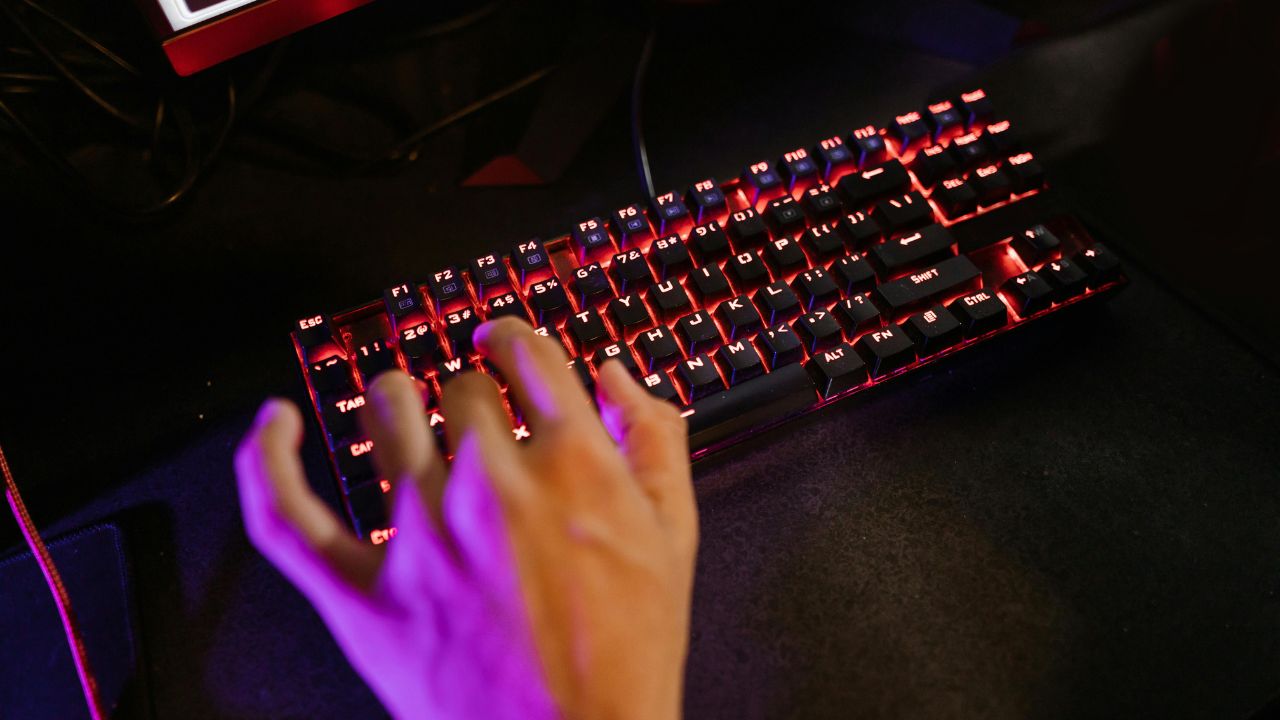
Are you looking to upgrade your typing experience without emptying your wallet? You are in luck. The world of mechanical keyboards has changed dramatically over the last few years. In the past, getting a high-quality keyboard with premium features meant spending hundreds of dollars. If you bought a budget keyboard, you usually ended up with cheap plastic shells, loud, unlubricated switches, and very few features.
Today, things are completely different. The market is filled with incredible options that cost less than a hundred dollars. You can now get keyboards with hot-swappable circuit boards, pre-lubricated switches, dampening foam, wireless connectivity, and premium aluminum top plates. These budget options give expensive enthusiast keyboards a run for their money.
Whether you are a casual gamer, a professional writer, a programmer, or someone who just wants a better typing feel at work, there is a perfect keyboard out there for you. This comprehensive guide breaks down the best mechanical keyboards under $100 available right now. We will look closely at their design, features, build quality, and performance to help you make the right choice.
Why You Can Trust Modern Budget Mechanical Keyboards
Before diving into our top picks, it is helpful to understand how budget mechanical keyboards became so good. A few years ago, enthusiast features were locked behind premium price tags. Today, heavy competition from innovative brands has forced companies to pack advanced technology into affordable packages.
When shopping for an affordable keyboard under $100, look for these three key features:
-
Hot-Swappable Sockets: This layout allows you to pull out the switches and replace them without using a soldering iron. It extends the life of your keyboard and lets you try new switch styles easily.
-
Gasket Mount Designs: Instead of screwing the internal plate directly to the hard plastic frame, manufacturers use rubber gaskets. This creates a softer typing feel and a much deeper, cleaner acoustic sound profile.
-
Sound Dampening Layers: Modern budget boards include internal layers of silicone, Poron foam, or IXPE switch pads right out of the box to eliminate hollow echoy sounds.
1. Keychron C3 Pro: The Absolute Best Entry-Level Pick
If you want a highly reliable mechanical keyboard that delivers maximum value for a small price tag, the Keychron C3 Pro is the undisputed champion. Keychron is a household name in the keyboard world, famous for making excellent products that bridge the gap between office productivity and gaming. The C3 Pro is a Tenkeyless (TKL) wired layout, meaning it drops the number pad to give your mouse more breathing room on your desk.
The build quality is excellent for this price range. It uses a high-quality gasket mount structure, which provides a flexible, cushioned feel when you type. It also comes with shine-through double-shot PBT keycaps, which means the letters will never fade or wear away over time. The keyboard features bright backlighting and is fully compatible with both Windows and Mac operating systems right out of the box.
Performance and Sound Profile
The C3 Pro comes with pre-lubricated Keychron mechanical switches. You can choose between linear red switches (smooth and quiet) or tactile brown switches (featuring a soft, physical bump). Thanks to the internal sound-dampening foam, it offers an incredibly clean, deep sound profile that avoids the annoying high-pitched plastic rattling found on older budget models.
Quick Specifications
| Feature | Details |
| Price Range | Around $50 – $55 |
| Layout Size | Tenkeyless (TKL) – 87 Keys |
| Connectivity | Wired (USB Type-C) |
| Hot-Swappable | No (Switches are soldered) |
| Keycaps | Double-Shot PBT |
| Backlight | Custom RGB / Red LED options |
2. Royal Kludge RK61: The Best Ultra-Compact Wireless Keyboard
For users who want a clean, minimalist desk setup or need a portable device to throw into a backpack, the Royal Kludge RK61 is a legendary choice. This is a 60% layout keyboard, which removes the number pad, the arrow keys, and the dedicated function row. The result is an incredibly compact footprint that leaves plenty of room for wide mouse movements.
The standout feature of the RK61 is its versatile tri-mode connectivity. It can connect to your computer, tablet, or phone using a high-speed 2.4GHz wireless USB dongle, stable Bluetooth, or a traditional wired USB-C cable. It can pair with up to three distinct devices via Bluetooth simultaneously, allowing you to switch between your laptop and your phone with a simple key combination.
Customization and Longevity
Unlike many basic keyboards, the RK61 is fully hot-swappable. The circuit board supports both 3-pin and 5-pin mechanical switches. If a switch ever breaks, or if you simply get tired of the way your keys feel, you can use the included tool to pull them out and snap in new ones.
Quick Specifications
| Feature | Details |
| Price Range | Around $45 – $60 |
| Layout Size | 60% Compact – 61 Keys |
| Connectivity | 2.4GHz Wireless, Bluetooth, Wired |
| Hot-Swappable | Yes (3-pin and 5-pin support) |
| Battery Life | Up to 13 hours with RGB on; 360 hours off |
| Backlight | Per-Key Customizable RGB |
3. Aula F99 Pro: The Best Full-Featured 96% Wireless Keyboard
Many users cannot give up their dedicated number pad, especially if they work with data entry, Excel spreadsheets, or financial software. If you need a numpad but still want a compact design that does not hog your entire desk, the Aula F99 Pro is an absolute masterpiece. It features a compressed 96% layout, pushing all the keys tightly together to save massive amounts of horizontal space.
The Aula F99 Pro is built like an expensive enthusiast keyboard. It features a multi-layered gasket structure combined with a flexible FR4 internal plate. This specific combination absorbs the impact of your fingers, creating a plush, bouncy typing experience. It also features a massive internal battery that lasts for weeks on a single charge when the lights are turned off.
Acoustic Engineering
Aula paid close attention to the sound design of the F99 Pro. Packed with five separate layers of acoustic dampening material, including Poron foam and silicone base pads, it produces a deep, creamy sound. The keys sound like raindrops rather than harsh plastic clacks.
Quick Specifications
| Feature | Details |
| Price Range | Around $70 – $85 |
| Layout Size | 96% Compact Full-Size – 99 Keys |
| Connectivity | 2.4GHz Wireless, Bluetooth, Wired |
| Hot-Swappable | Yes (5-pin South-Facing PCB) |
| Keycaps | Side-Printed Double-Shot PBT |
| Battery Capacity | 8000 mAh |
4. EPOMAKER Galaxy100: The Best Premium Aluminum Build
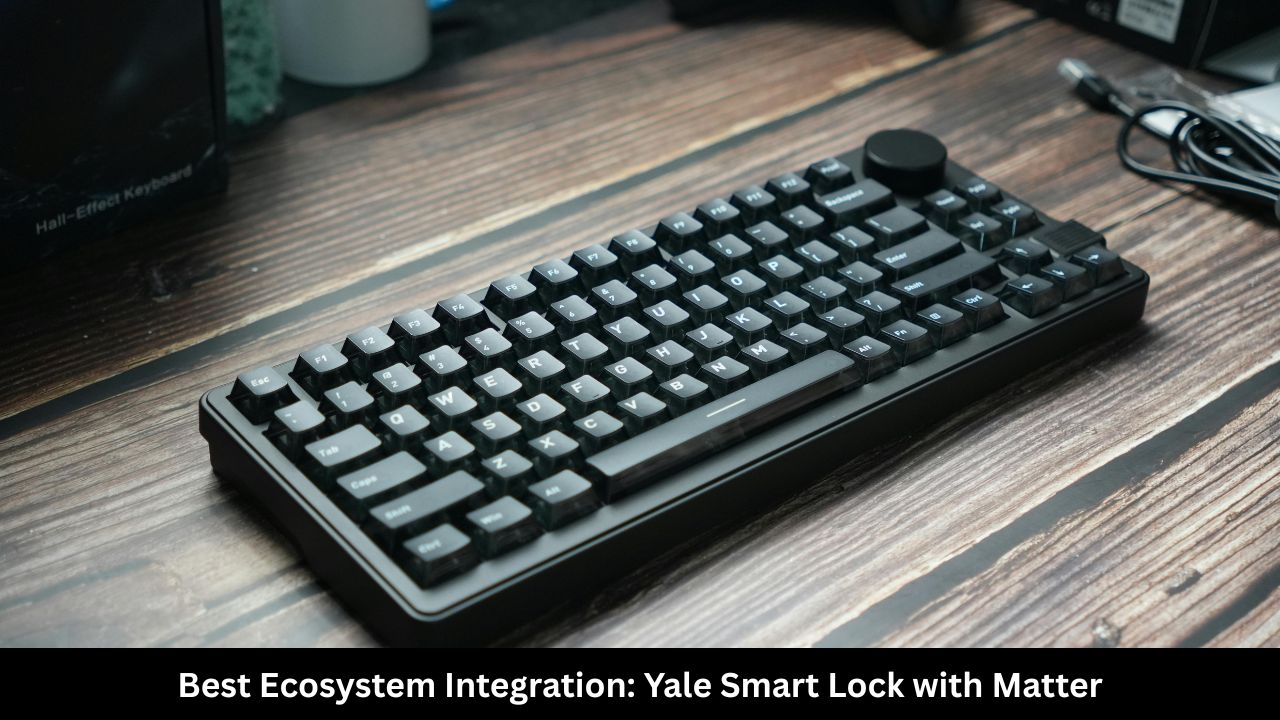
If you dislike lightweight plastic cases and want something that feels incredibly solid, heavy, and premium, the EPOMAKER Galaxy100 is an unbeatable choice. Most mechanical keyboards under $100 are made entirely of plastic. The Galaxy100 breaks the rules by offering a full aluminum alloy housing for less than a hundred dollars. It feels like a solid block of metal on your desk and will not slide around, no matter how hard you type.
The Galaxy100 features a sleek 96% layout and includes a physical metal volume knob in the top right corner. This knob lets you instantly adjust your computer’s audio or mute sound with a quick press. It also supports QMK and VIA open-source software, allowing you to remap any key on the keyboard or program advanced macros through a web browser.
Enthusiast Features
This keyboard features south-facing RGB LEDs. South-facing lights point directly toward your eyes, meaning they illuminate the legends perfectly on custom PBT keycaps without causing any physical interference with Cherry-profile keycaps.
Quick Specifications
| Feature | Details |
| Price Range | Around $90 – $98 |
| Layout Size | 96% Layout with Media Knob |
| Case Material | CNC Aluminum Alloy |
| Software Support | QMK / VIA Compatible |
| Connectivity | Wired, 2.4GHz Wireless, Bluetooth |
| Hot-Swappable | Yes |
5. HyperX Alloy Origins Core: The Best Mid-Budget Gaming Performer
For pure gaming performance, the HyperX Alloy Origins Core is a brilliant choice. HyperX is a major name in esports, and this keyboard is designed specifically for fast-paced competitive play. It uses a clean, compact Tenkeyless (TKL) footprint and features an aircraft-grade full aluminum body that provides incredible rigidity during intense gaming matches.
The real star of the show here is the custom HyperX mechanical switches. These switches are engineered to balance speed and accuracy, offering a short travel distance and a light actuation force. The RGB lighting on this model is exceptionally bright, radiating beautifully from exposed switch housings. You can fully customize the lighting profiles and create advanced gaming macros using the HyperX NGENUITY software.
Durability and Travel
The keyboard features a detachable USB Type-C cable, making it easy to pack up for travel to tournaments or LAN parties. It also has three adjustable keyboard angles (3°, 7°, and 11°) so you can find the perfect ergonomic position for your wrists.
Quick Specifications
| Feature | Details |
| Price Range | Around $75 – $90 |
| Layout Size | Tenkeyless (TKL) – 87 Keys |
| Case Material | Aircraft-Grade Aluminum |
| Switch Types | HyperX Red (Linear) / Aqua (Tactile) |
| Connectivity | Detachable Wired USB-C |
| Anti-Ghosting | 100% Anti-Ghosting & N-Key Rollover |
Key Differences At A Glance
To help you choose the right model quickly, here is a breakdown comparing the core strengths of each keyboard side-by-side:
| Keyboard | Best For | Main Advantage | Material | Connectivity |
| Keychron C3 Pro | Absolute Beginners | Incredible Value & Comfort | Plastic | Wired Only |
| Royal Kludge RK61 | Travelers & Minimalists | Tiny Footprint & Tri-Mode | Plastic | Wireless / Wired |
| Aula F99 Pro | Office & Data Entry | Creamy Sound & Numpad | Plastic | Wireless / Wired |
| EPOMAKER Galaxy100 | Keyboard Enthusiasts | Heavy CNC Aluminum Case | Aluminum | Wireless / Wired |
| HyperX Alloy Origins | Competitive Gamers | Ultra-Bright RGB & Tough Frame | Aluminum | Wired Only |
Mechanical Keyboard Buying Guide: How to Choose Your Perfect Match
If you are still confused about which keyboard to pick, don’t worry. Breaking down your decision into a few simple choices makes the process incredibly easy.
Choosing the Right Switch Type
The switches are the small mechanical components hidden beneath each keycap. They dictate how the keyboard feels and sounds. Switches generally fall into three distinct categories:
-
Linear Switches (Usually Red): Smooth and quiet from top to bottom. They have no physical bump or loud click. These are highly preferred by gamers because they allow for incredibly fast, uninterrupted key presses.
-
Tactile Switches (Usually Brown): These feature a gentle physical bump right in the middle of the keypress. This bump lets your fingers know the key has registered without making too much noise. They are perfect for general typing, writing, and office environments.
-
Clicky Switches (Usually Blue): These offer both a sharp tactile bump and a loud, crisp “click” sound. They offer great typing feedback, but they can easily annoy co-workers or family members sharing your space.
Understanding Keyboard Form Factors
Size matters when it comes to your desk. If you never use the number pad, avoid getting a full-size keyboard. A smaller keyboard allows you to keep your hands closer together, which reduces strain on your shoulders and neck over long working sessions. A 75% or TKL layout keeps your vital arrow keys while cutting out unnecessary plastic bulk.
Frequently Asked Questions (FAQ)
What does “hot-swappable” mean on a mechanical keyboard?
A hot-swappable keyboard allows you to change your mechanical switches without using a soldering iron. You simply pull the old switch out using a small metal clip tool and push a new switch directly into the socket. This makes it incredibly easy to customize your typing feel or replace a single worn-out key.
Is a wired keyboard better than a wireless keyboard for gaming?
Wired keyboards provide the lowest possible latency and absolute stability, which is perfect for competitive gaming. However, modern 2.4GHz wireless connections (using a dedicated USB dongle) have advanced significantly. They offer a near-instantaneous 1 millisecond response rate, making them virtually indistinguishable from wired connections for most users. Avoid using Bluetooth for fast-paced gaming, as it has a slight delay.
Can I use these mechanical keyboards with an Apple Mac?
Yes. Most modern keyboards under $100 feature a physical toggle switch on the back to change between Windows and macOS layouts. Keyboards like the Keychron C3 Pro even include extra physical Mac-specific keycaps (like Command and Option) inside the box so you can swap them out easily.
Why do some budget keyboards sound much better than others?
The sound profile depends entirely on internal engineering. Keyboards with internal layers of soft foam, silicone gaskets, and pre-lubricated switches absorb harsh vibrations. This turns loud, annoying plastic noises into deep, satisfying acoustic tones.
Final Words
Finding an exceptional mechanical keyboard under $100 used to be a difficult chore. In 2026, it is an absolute joy. The market has shifted heavily in favor of consumers. Incredible options like the Keychron C3 Pro offer unparallel ed comfort for pennies on the dollar, while the EPOMAKER Galaxy100 brings heavy, indestructible metal frames to a price point that was once unthinkable.
Do not feel pressured to spend hundreds of dollars on a boutique custom keyboard. Evaluate your personal desk space, choose a switch type that matches your environment, and enjoy the massive upgrade to your daily digital life.