
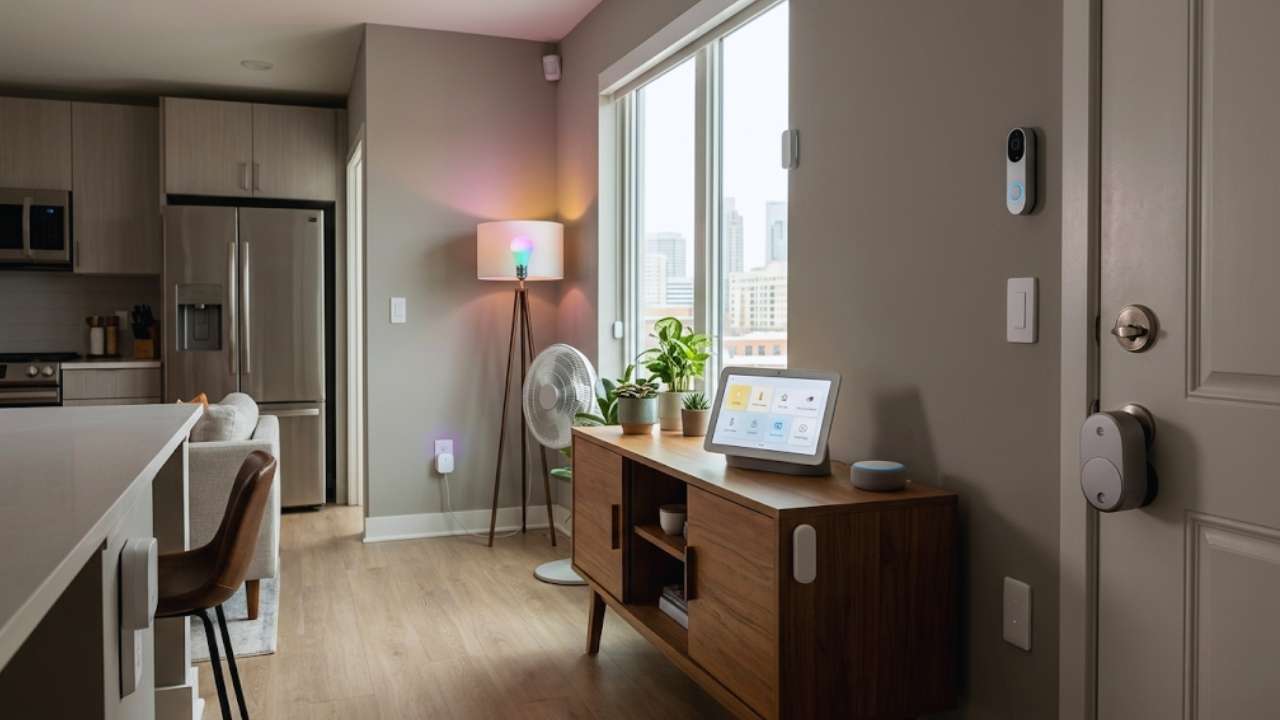
Let’s face it. Renting usually means living by someone else’s rules. You cannot drill into the drywall, you cannot touch the wiring, and you definitely cannot swap out the deadbolt on your front door. For years, renters sat on the sidelines while homeowners got all the coolest automation tech. But times have changed.
Today, you can automate your entire apartment without picking up a power drill or asking your landlord for a favor. Setting up a renter-friendly smart home 2026 setup is entirely possible, and it doesn’t take an engineering degree or a massive budget to pull off.
The tech industry finally figured out that millions of us lease our places. They stopped pushing hardwired, permanent fixtures. Now, the best gear sticks to the wall, plugs into an outlet, or runs on crazy-long batteries. You get predictive climate control, voice-activated lights, and high-end security. Best of all? You pack it all into a cardboard box and take it with you when your lease ends. I will walk you through exactly how to build this setup, which gadgets actually deserve your money, and how to keep your security deposit safe every step of the way.
Why 2026 is the Breakout Year for Renter Tech?
Consumer tech looks totally different today. We are seeing massive upgrades in how devices talk to each other and how long their batteries last. These changes directly help people who cannot alter the physical structure of their homes. If you want a fast, reliable setup that plays nicely with any smartphone, this is the exact right time to start building.
|
Feature |
The Old Struggle |
The 2026 Reality |
|
Interoperability |
Gadgets locked to one single brand |
Universal connections via Matter 1.5 |
|
Access Control |
Clunky keys and forgotten keypad codes |
Phone-based entry via the Aliro standard |
|
Connectivity |
Wi-Fi dropouts and annoying lag |
Fast and resilient Thread mesh networks |
|
Energy Tracking |
Guessing your monthly utility usage |
Real-time tracking and predictive AI features |
Matter 1.5 and Thread Protocols
Ever bought a smart bulb and realized it needs a weird third-party app and a pricey hub just to turn on? Matter 1.5 fixes that mess. It acts as an open standard that lets devices from totally different brands talk to each other locally. You no longer have to stress if a cheap smart plug works with your iPhone or your roommate’s Android phone. Meanwhile, Thread mesh networking handles the heavy lifting in the background. Thread lets small battery-powered sensors pass signals to one another. They build a fast, reliable web across your apartment without slowing down your Netflix streams on the main Wi-Fi network.
The Arrival of Aliro Smart Access
Aliro is huge this year. Think of it as a universal digital key that lives right on your phone. You just tap your smartphone or watch against a compatible lock, and your door pops open. This changes everything for apartment dwellers. Even if your building manager uses a different security brand than your personal apartment lock, Aliro creates one standardized digital key. You can easily text a temporary access pass to your dog walker or your friend visiting for the weekend. You never have to copy a physical key again.
Predictive AI and Energy Independence
You don’t have to spend hours programming complex routines anymore. Artificial intelligence handles the boring stuff for you. The newest smart hubs literally learn your daily habits and adjust your apartment automatically. If you always leave for the gym at six in the morning, the system learns to turn down the heat and shut off power-hungry gadgets right as you walk out the door. Smart plugs now track your power use to predict your monthly electricity bill. They even shift your heaviest energy usage to off-peak hours, keeping more cash in your pocket.
Building a Renter-Friendly Smart Home 2026 Without Losing Your Deposit
Your security deposit matters. You do not want your landlord handing you a massive bill for patched drywall and missing light fixtures when you move out. Building your renter-friendly smart home 2026 means playing by a strict set of rules. Keep the tech convenient, but leave absolutely zero footprint behind.
|
The Rule |
What You Need to Do |
Why It Matters for Renters |
|
Keep original hardware |
Store old items in a clear, labeled bin |
Avoids annoying replacement fees |
|
Mount with adhesives |
Use removable command strips for gear |
Protects your drywall and paint |
|
Avoid hardwiring |
Buy battery or simple plug-in devices |
Prevents accidental electrical fires |
|
Read your lease |
Check the specific rules on door cameras |
Keeps you completely legally compliant |
Keep the Original Hardware Safe
Whenever you swap out something in your apartment, save the original piece immediately. Taking down the landlord’s cheap lightbulbs or removing a standard showerhead to attach a fancy water-tracking version? Do not throw the old stuff in the trash. Grab a heavy-duty plastic bin and label it clearly. Toss every original screw, faceplate, and fixture into that box. Shove it in the back of your closet until the day you start packing to leave. Reinstalling everything takes barely an hour, and it basically guarantees you get your full deposit check back.
Master the Art of Temporary Adhesives
Put down the power drill. You should never use wall anchors in a leased space. Removable adhesives are the only way to mount your tech. High-quality command strips hold heavy security cameras and tablets with ease. When it is time to move, you just pull the stretch tab straight down. Accidentally used tough double-sided tape that lacks a pull tab? Grab your hairdryer, warm up the glue, and use a piece of dental floss to slice right behind the device. It peels off cleanly and leaves the drywall paper completely intact.
Switch to Wireless and Battery Power
Skip the expensive electrician. Everything you buy needs to plug into a standard wall outlet or run on an internal battery. Lithium battery efficiency is unbelievable right now. A simple window sensor or motion detector easily runs for over a year on a single tiny battery. If you have a sunny balcony, buy an outdoor camera with a built-in solar panel the size of a playing card. As long as it catches a few hours of daylight, you never have to plug it in or swap a battery.
The Best Renter-Friendly Smart Home 2026 Devices
Do not buy random gear just because it goes on sale. You want gadgets that give you the biggest impact for the lowest cost and effort. You just need a few strategic pieces that solve your daily annoyances. Adding the right gear transforms your cramped space fast.
|
Device Category |
Recommended Renter Gadget |
The Installation Method |
|
Lighting Upgrades |
Wi-Fi or Thread smart bulbs |
Screws directly into standard sockets |
|
Door Access |
Retrofit thumbturn smart locks |
Slides right over your interior lock |
|
Home Security |
Peephole or battery video doorbell |
Uses adhesives or peephole insert |
|
Dumb Appliances |
Smart plugs and desktop IR blasters |
Plugs right into the wall outlet |
Screw-In Smart Lighting and LED Strips
Lighting completely changes the vibe of an apartment. Ignore the physical wall switches. Just buy smart bulbs instead. Unscrew the cheap incandescent bulbs your landlord provided and pop the smart ones in. You can change colors, dim the brightness, and schedule them to slowly fade up in the morning so you wake up naturally. If your place has terrible overhead lighting, grab some adhesive LED light strips. Stick them under the kitchen cabinets or right behind your television for a premium architectural look that costs next to nothing.
Retrofit Locks and Aliro Digital Keys
You cannot change the exterior deadbolt because maintenance teams need access. Buy a retrofit lock instead. This brilliant device snaps over the latch on the inside of your door. It physically grabs the thumbturn and twists it using a tiny internal motor. From the hallway, your door looks exactly the same, and the landlord’s physical key works perfectly. On your end, you unlock the door with your phone via the Aliro standard, or set it to auto-lock the second you leave for work.
Peephole Cameras and Battery Doorbells
Porch pirates steal packages every single day. You cannot wire a fancy video doorbell in an apartment hallway, but you have better options. A peephole camera slides right through the existing hole in your front door. It places a camera lens on the outside and a digital screen on the inside, requiring zero drilling. If your door lacks a peephole, buy a battery-powered video doorbell. Mount it right to your doorframe using a heavy-duty adhesive plate.
Smart Plugs and IR Blasters for Appliances
Smart plugs are cheap, brilliant little problem solvers. Plug them into the wall, and then plug your old box fan or basic coffee maker into them. Suddenly, you can turn your fan on with a voice command or schedule your coffee pot to brew before your feet hit the floor. Stuck with an ugly window air conditioning unit? Buy an IR blaster. It sits on your table and shoots infrared signals at the AC unit, acting just like the physical remote control. You can turn on the AC from the train so your apartment feels great when you walk in.
Robotic Curtain and Blind Motors
Tired of opening and closing cheap plastic blinds? Companies now sell tiny battery-powered robots that clip directly to your curtain rods or window blind wands. They use a small rubber wheel to physically pull the fabric open or shut. You do not swap out any hardware. Just set a schedule so the curtains close automatically when the harsh afternoon sun hits the glass. It keeps your apartment significantly cooler and shaves real money off your summer air conditioning bills.
Choosing the Right Ecosystem for Your Setup
Buying gadgets without a plan leaves you juggling ten different apps on your phone. You need one central brain to run the show. The ecosystem you pick dictates how you actually live with your renter-friendly smart home 2026. Keep it super simple and pick the platform you already use.
|
Smart Platform |
The Best User Profile |
The Standout Feature |
|
Apple Home |
iPhone and Mac power users |
Incredible local privacy and tight security |
|
Amazon Alexa |
Budget-conscious shoppers |
Works with almost every cheap gadget out there |
|
Google Home |
Heavy Android and Google users |
The absolute smartest conversational AI |
|
Matter Hubs |
Anyone mixing different brands |
Complete future-proof interoperability |
Apple Home vs Amazon Alexa vs Google Home
Got an iPhone in your pocket? Apple Home is your best bet for privacy. It processes your voice commands directly on your local hub instead of sending your audio to cloud servers. Amazon Alexa wins on budget hardware. You can grab cheap Echo speakers for every room and connect them to almost any third-party gadget sold online. Google Home dominates if you love asking complex questions. Google Assistant actually understands natural language, so you never have to memorize weird, robotic command phrases just to turn on your kitchen lights.
The Importance of a Matter Controller
No matter which brand you love, make sure your main hub supports the Matter protocol. A Matter controller bridges the gap between totally different brands. You can buy a highly discounted smart plug from a generic brand, and as long as it has the Matter logo on the box, it shows up instantly in your Apple or Google app. This gives you total freedom to hunt for the best deals without constantly worrying about compatibility headaches.
Why Local Control Beats the Cloud?
You always want a hub that runs on local control. Older systems relied totally on cloud servers. If your internet provider had an outage, your living room lights stayed off. Local control fixes this. Your hub talks directly to your lightbulbs and plugs over your home Wi-Fi or Thread network. If a truck hits a power pole and cuts the internet outside your building, your indoor automations and morning schedules just keep working without missing a beat.
Room-by-Room Automation Guide for Renters
Build your setup one room at a time. Trying to automate the whole apartment in a single weekend gets expensive and overwhelming. Start in the rooms where you spend the most time and work your way out.
|
Apartment Room |
Key Gadget Focus |
The Main Goal |
|
Living Room |
Smart speaker, TV smart plug |
Easy entertainment and saving energy |
|
Bedroom |
Smart bulbs, curtain robots |
Better sleep hygiene and gentle wake ups |
|
Kitchen |
Voice display, smart outlet |
Hands-free help while cooking meals |
|
Bathroom |
Motion sensor, hidden LED strip |
Midnight lighting without the harsh glare |
Living Room Entertainment and Ambiance
Put your main smart speaker right in the living room. It acts as the central command station for the entire apartment. Plug your television, soundbar, and gaming consoles into a smart power strip. These devices sip electricity all day even when they are off. The smart strip cuts the power completely when you go to bed. Throw some color-changing bulbs into your floor lamps. You can trigger a movie mode that dims the room to a soft blue color with just one quick voice command.
Bedroom Sleep Hygiene and Wake Routines
Keep your bedroom focused totally on relaxation. Slap a wireless smart button right on your nightstand. Program it so one tap locks the front door, kills every light in the apartment, and turns on your bedside fan. Use your smart bulbs to simulate a sunrise in the morning. They start glowing a warm orange thirty minutes before your alarm goes off. It is a much better way to wake up than listening to a blaring smartphone alarm.
Kitchen Convenience on a Tight Budget
Renters usually get stuck with terrible refrigerators and cheap stoves. Focus on small countertop upgrades instead. Put a smart display near your cutting board. Use your voice to set three different cooking timers at once or watch recipe videos while your hands are covered in flour. Attach a smart plug to your slow cooker. You can flip it on from your desk at work so dinner is ready exactly when you walk through the door.
Bathroom Hacks for Better Mornings
Apartment bathrooms usually lack windows and feature blinding overhead lights. Stick a cheap, battery-powered motion sensor near the floor by the door. Hook it up to a waterproof LED strip hidden right under the bathroom vanity. When you walk in at two in the morning, the sensor triggers the LED strip to glow at ten percent brightness. You get just enough light to see without burning your retinas or waking up your roommate.
Overcoming Common Apartment Limitations
Renting comes with specific annoyances that homeowners never face. Bad wiring, strict building rules, and shared internet networks usually slow you down. But there are brilliant workarounds for all of them so your renter-friendly smart home 2026 stays fully operational.
|
Apartment Limitation |
The Common Problem |
The Easy Renter Solution |
|
Shared Building Wi-Fi |
You cannot connect smart hubs |
Buy a private travel router for your unit |
|
Maintenance Inspections |
Landlords hate random cameras |
Use privacy shutters and physical keys |
|
Old Iron Radiators |
No central wall thermostat |
Install battery smart radiator valves |
|
High Hallway Traffic |
Endless annoying motion alerts |
Adjust the sensor sensitivity zones in the app |
Dealing with Building-Managed Wi-Fi
Lots of modern apartment buildings force you onto a shared Wi-Fi network. Smart gadgets hate this because building firewalls block devices from seeing each other. Grab a travel router to fix it. Plug the travel router into the wall port or connect it directly to the building Wi-Fi. It snags the internet connection and broadcasts a private, secure Wi-Fi bubble just for your apartment. Connect all your smart plugs and speakers to this private network, and everything works perfectly.
Surviving Landlord Maintenance Inspections
When the property manager knocks on your door for the annual inspection, do not panic. Because you built a true renter-friendly smart home 2026, you did not break the lease. Just be polite and flip your indoor cameras around to face the wall, or slide the physical privacy shutters completely closed. Check your retrofit door lock and make sure it is calibrated so the landlord’s master key turns smoothly from the hallway.
Handling Older Radiators and Window AC Units
Living in a charming older building usually means you do not have central air. You cannot wire a modern thermostat to an old iron radiator. Buy a smart radiator valve instead. It unscrews and replaces the plastic manual dial on your room radiator. It runs on standard batteries and lets you control the heat from your phone. For loud window AC units, use the IR blaster trick to give it a digital brain in under five minutes.
Moving Out and Taking Your Tech With You
The day eventually comes when you pack up and move to a new apartment. The absolute best part of this setup is that you own every piece of it. Leave the apartment looking pristine, get your check back, and set up your tech in the new spot.
|
The Moving Step |
The Action to Take |
The Benefit for You |
|
Smart Documentation |
Screenshot your app settings |
Keeps your daily routines memorized |
|
Safe Removal |
Use low heat on sticky pads |
Leaves the apartment walls completely clean |
|
Fast Reinstallation |
Swap in the original landlord parts |
Secures your full deposit check |
|
Network Reconnection |
Keep the exact same Wi-Fi name |
Devices reconnect to the network instantly |
Clean Adhesive Removal Techniques
Take your time during the teardown. Yanking a camera mount off the wall takes the paint right with it. Hit the command strips with a hairdryer on medium heat for thirty seconds. Once the glue softens, pull the stretch tab very slowly straight down against the wall. No tab? Use dental floss to cut behind the foam pad. A quick wipe with rubbing alcohol takes care of any leftover sticky residue.
Reconnecting to a New Network
Do not start from scratch at your new place. The biggest mistake people make is creating a brand new Wi-Fi name and password. If you do that, you have to manually reset every single lightbulb and plug. Just name your new Wi-Fi network exactly the same as your old one and use the exact same password. When you plug your hubs into the wall, they automatically connect like nothing ever happened.
Reinstalling the Landlord’s Hardware
Remember that plastic bin you shoved in the closet on day one? Pull it out. Unscrew your expensive smart bulbs and put the cheap landlord bulbs back in the fixtures. Pull your retrofit lock off the door and screw the original thumbturn plate back on. Test the door lock a few times to ensure it turns smoothly. Do a quick walkthrough and verify every room looks exactly like the photos you took on move-in day.
Final Thoughts
You do not need a mortgage to live in the future. The gadgets available today let you bypass all the annoying restrictions of leasing a property. Building a renter-friendly smart home 2026 is all about picking the right wireless gear and mounting it safely. You wake up to gentle natural light, secure your front door from your office desk, and track your energy usage without ever upsetting your landlord.
Start with a single smart hub and a few cheap plugs, and grow your system whenever you want. Enjoy the massive comfort of your automated apartment, knowing you can easily pack it all up and take it to the next one.
Frequently Asked Questions (FAQs) About Smart Home for Renters
What is the Aliro standard and does my landlord need to approve it?
Aliro is an open standard that lets your smartphone act as a highly secure digital key across different brands of smart locks. Because you use a retrofit lock on the inside of the door, the outside hardware stays exactly the same. Your landlord still has total access with their physical key. Since you never alter the exterior or change the lock cylinder, you generally do not need landlord approval.
Can I use smart cameras if my lease bans recording the hallway?
Most apartment leases strictly forbid you from filming your neighbors or the shared hallway. If you install a peephole camera, open the app settings and heavily restrict the motion detection zones. You literally draw black boxes over the areas that cover your neighbors’ doors. The camera only records when someone stands directly on your welcome mat, keeping you completely out of trouble.
Will Thread devices slow down my apartment Wi-Fi?
Not at all. This is exactly why the Thread protocol exists. Older Wi-Fi smart plugs crowded your router and caused your streaming movies to buffer. Thread devices build their own separate, low-power mesh network. They talk to each other and pass data back to a single border router. Your main Wi-Fi router does not even know they are there.
Are battery-powered smart home devices actually reliable in 2026?
They are incredibly reliable today. A few years ago, battery-powered Wi-Fi cameras died every two months. The shift to low-power protocols like Thread completely fixed this problem. Modern contact sensors and retrofit door locks easily run for over a year on a single set of standard batteries. The app shoots you a notification weeks before they actually die so you are never locked out.