
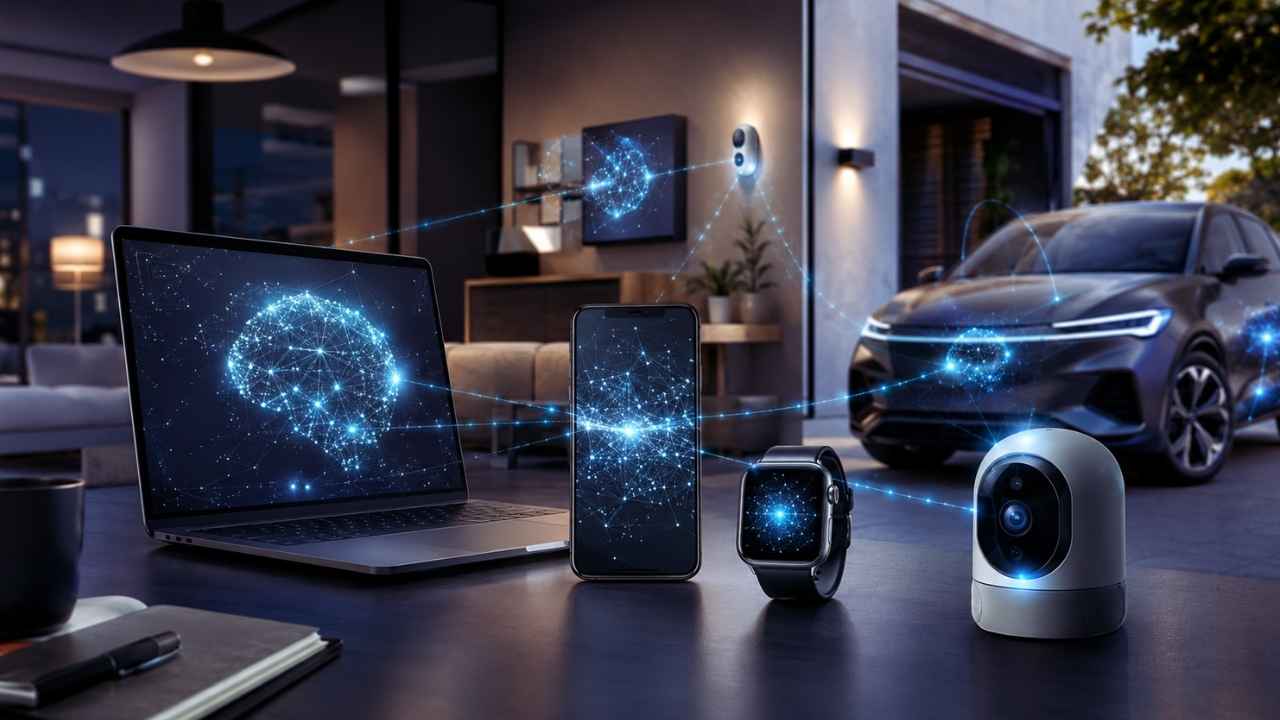
Your phone unlocks when it sees your face. Your smartwatch notices changes in your health signals. Your security camera can tell the difference between a person and a tree moving in the wind. Your laptop can clean up background noise during a video call. Your car can warn you before you drift out of your lane.
These things feel smooth because your device is not always waiting for a faraway server. That is where Edge AI comes in. So, what is edge ai? Edge AI means artificial intelligence that runs on your device or very close to it. Instead of sending every photo, voice command, sensor reading, or video frame to the cloud, the device can process some of that data locally. That makes a big difference.
Modern devices collect a lot of data. Phones hold photos, messages, voice notes, app activity, location history, and payments. Cameras capture video. Wearables track movement and health. Cars read roads, signs, and nearby objects. Sending all of that to the cloud every time is slow, expensive, and sometimes risky. Edge AI helps by moving intelligence closer to the user.
Cloud AI still matters. Large AI models, training, and complex tasks need powerful data centers. But many everyday tasks do not need a long trip to the cloud. They need speed. They need privacy. They need to work even when the internet is weak. That is why Edge AI is becoming one of the most important shifts in modern devices.
What Is Edge AI?
Edge AI is artificial intelligence that runs on local devices or nearby edge systems. These devices can include smartphones, laptops, smart cameras, cars, drones, medical devices, smartwatches, robots, appliances, and industrial sensors.
IBM defines Edge AI as AI models deployed directly on local edge devices so they can process and analyze data in real time without constant cloud dependence. Arm describes it as AI running directly on edge devices such as IoT sensors, smartphones, autonomous vehicles, and embedded systems for local inference and decision-making.
The simple idea is this: the device does not only collect data. It understands some of it by itself. A smart camera does not only record motion. It can decide whether the motion came from a person, pet, vehicle, or package. A smartwatch does not only count steps. It can look for unusual patterns. A car does not only capture road data. It can react to what is happening nearby. That is the real power of Edge AI. It turns ordinary connected devices into smarter local decision-makers.
|
Key Area |
What It Means for Readers |
|
Basic meaning |
AI runs on or near the device instead of only in the cloud |
|
Main purpose |
Fast local processing and quick decision-making |
|
Common devices |
Phones, laptops, cameras, cars, sensors, robots, wearables |
|
Best use cases |
Real-time tasks, private data, offline use, smart automation |
|
Main advantage |
Less delay, less data transfer, and better reliability |
|
Main limit |
Smaller devices cannot run the biggest AI models |
|
Simple example |
A camera detects a person locally and sends only a useful alert |
Why the “edge” matters?
The “edge” means the edge of a network. It is the place where the real world meets the digital system. Your phone, camera, car, watch, smart speaker, and factory sensor all sit at that edge. They collect the first signal.
- A camera sees movement.
- A watch reads your pulse.
- A car detects lane markings.
- A microphone hears your voice.
- A sensor notices heat, pressure, or vibration.
That data starts near you. Edge AI keeps more of the work there. This is different from older cloud-heavy systems. In those systems, the device often captured data and sent it away for processing. Edge AI handles more of that processing locally, so the device can respond faster.
A simple way to explain what is edge ai
Here is the easiest way to explain what is edge ai:
Edge AI lets devices process data where it is created, so they can respond faster and depend less on the cloud. That one line explains why the topic matters for phones, cars, smart homes, factories, hospitals, agriculture, logistics, and security systems. It is not just a technical upgrade. It changes how devices behave in daily life.
How Edge AI Works?
Edge AI usually works in two main stages: training and inference. Training is the learning stage. Developers train an AI model using large datasets. This usually happens in the cloud or in a data center because training needs strong chips, large storage, and serious computing power.
Inference is the use stage. This is when the trained model looks at new data and makes a prediction. In Edge AI, inference often happens on the device itself. A smart camera is a simple example.
The AI model has already learned what people, pets, cars, and packages look like. When the camera sees movement, it does not start learning from zero. It checks the live image against the model and decides what it sees. That local decision can happen quickly. The camera can then send a useful alert instead of uploading every second of footage.
|
Step |
What Happens |
Real Example |
|
Data capture |
A device collects input through a sensor, camera, mic, or app |
A doorbell camera detects motion |
|
Local processing |
The device runs an AI model near the data source |
The camera checks whether it sees a person |
|
Decision |
The device acts without waiting for the cloud |
It sends a person-detected alert |
|
Cloud support |
The cloud may help with updates, backup, or deeper analysis |
The model receives a future update |
|
User result |
The user gets a faster and more useful experience |
Fewer false alerts and quicker notifications |
Training usually happens elsewhere
Most Edge AI models start in powerful systems. Developers train them using huge datasets and high-performance chips. After training, they compress and optimize the model so it can run on smaller hardware. That smaller version then moves into a phone, laptop, camera, car, sensor, gateway, or local server.
So Edge AI does not mean the cloud disappears. In many cases, the cloud builds the model. The device uses that model for quick local decisions. This split is practical. Training is heavy. Inference is lighter. That is why inference is the part moving into everyday devices.
The useful part happens near you
The part users actually feel is inference.
- Your phone recognizes your face.
- Your earbuds reduce background noise.
- Your laptop creates live captions.
- Your car notices lane markings.
- Your camera sends a package alert.
These features work better when the device can process data close to the user. NVIDIA explains that bringing AI to IoT and mobile devices lets edge computing process data locally, which can reduce cloud transmission and support real-time decision-making.
That matters because even a small delay can hurt the experience. A face unlock feature should feel instant. A hearing aid should clean sound in real time. A robot should stop as soon as it detects danger. In cars, medical devices, and factories, delay is not just annoying. It can be unsafe.
Hardware makes Edge AI practical
Edge AI needs efficient hardware. A phone or smartwatch cannot act like a massive data center. It has limited battery, memory, storage, and cooling. That is why modern devices are adding chips built for AI work.
Common Edge AI hardware includes:
- NPU, or neural processing unit
- GPU, or graphics processing unit
- AI accelerator
- Digital signal processor
- Low-power microcontroller
- System-on-chip platform
- Edge gateway or local edge server
Microsoft’s Copilot+ PC requirement shows where the market is heading. Microsoft says these PCs need an NPU capable of more than 40 trillion operations per second, also called 40+ TOPS, for certain local AI features. That number sounds technical. The point is simple: devices now need special AI chips to run local AI smoothly without burning through battery life.
What Is Edge AI in 2026? Current Data and Trends?
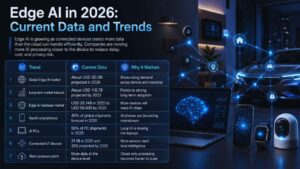
Edge AI is growing because connected devices are everywhere. Phones, PCs, cars, cameras, smart home gadgets, factory machines, and IoT sensors now create massive amounts of data. Sending every bit of that data to the cloud is not practical. It costs money, adds delay, and raises privacy concerns. That is why companies are moving more AI work closer to the device.
Research firms use different methods to measure the Edge AI market. Some count software. Some count hardware. Some count services. So market-size numbers can vary. But the direction is clear: Edge AI is growing fast.
Grand View Research valued the global Edge AI market at about USD 24.9 billion in 2025 and projected it to grow from about USD 30.0 billion in 2026 to about USD 118.7 billion by 2033. MarketsandMarkets separately projects the Edge AI hardware market to grow from USD 26.14 billion in 2025 to USD 58.90 billion by 2030.
|
Trend |
Current Data |
Why It Matters |
|
Global Edge AI market |
About USD 30.0B projected in 2026 |
Shows rising demand across devices and industries |
|
Long-term market forecast |
About USD 118.7B projected by 2033 |
Points to strong long-term adoption |
|
Edge AI hardware market |
USD 26.14B in 2025 to USD 58.90B by 2030 |
More devices will need AI chips |
|
GenAI smartphones |
45% of global shipments forecast in 2026 |
AI phones are becoming mainstream |
|
AI PCs |
Gartner projects AI PCs at 55% of PC shipments in 2026 |
Local AI is moving into laptops |
|
Connected IoT devices |
21.1B in 2025 and 39B projected by 2030 |
More sensors need local intelligence |
|
Main pressure point |
More data at the device level |
Cloud-only processing becomes harder to scale |
Smartphones are turning into AI devices
Phones are one of the biggest places to watch. Counterpoint Research forecast that GenAI-capable smartphones will make up 45% of global smartphone shipments in 2026, up from 36% in 2025. That matters because phones are deeply personal.
They hold photos, messages, contacts, voice notes, app activity, location history, payment tools, health data, and passwords. If more AI can run directly on the phone, users get faster features and better control over sensitive data. This is why Apple, Google, Qualcomm, Samsung, and other companies now talk so much about on-device AI.
Laptops are joining the shift
AI PCs are also picking up speed. Gartner forecast that AI PC shipments will reach 143 million units and represent 55% of the total PC market in 2026. Gartner also said users are expected to invest in AI PCs as more AI work moves to the edge.
This does not mean every AI PC will feel revolutionary overnight. Hardware is only one part of the story. Software still needs to make those AI chips useful. But the direction is clear. More laptops will include NPUs. More apps will use local AI. More work will happen on the device instead of only in the cloud.
IoT growth makes Edge AI even more important
Connected devices are growing fast. IoT Analytics estimated that connected IoT devices reached 21.1 billion globally in 2025 and could reach 39 billion by 2030. It also noted that AI is expected to act as a growth driver as demand for device data rises.
That creates a real challenge. Billions of devices cannot keep sending every raw video clip, audio file, and sensor reading to the cloud. Networks would get crowded. Costs would rise. Privacy risks would grow. Edge AI helps by filtering and processing data locally. Devices can send only what matters.
Why Edge AI Matters for Your Devices?
Edge AI matters because it changes the way devices work. A regular connected device collects data and sends it away. A smarter edge device can understand some of that data on its own. That makes the device faster, more useful, and less dependent on a perfect internet connection.
For users, this shows up in small but important ways. Face unlock feels instant. Camera alerts become more accurate. Voice tools respond faster. Wearables can flag problems sooner. Cars can react in real time. Smart home devices can work even when the network is weak. Edge AI is not only about speed. It is also about privacy, reliability, bandwidth, and cost.
|
Benefit |
What It Means in Real Life |
Example |
|
Faster response |
The device does not wait for a distant server |
Face unlock works quickly |
|
Better privacy |
Less raw data leaves the device |
Voice or face data can stay local |
|
Offline use |
Some features keep working without internet |
Translation or camera detection may still work |
|
Lower bandwidth |
Devices send less video, audio, and sensor data |
A camera uploads only important clips |
|
Better reliability |
Key features work during network problems |
A factory sensor still detects risk |
|
Lower cloud cost |
Companies process less data remotely |
Businesses save on storage and compute |
|
Smarter automation |
Devices react to real events, not just raw signals |
A camera detects a person, not just motion |
It cuts delay
Speed is the easiest benefit to notice. Face unlock should work instantly. A camera alert should not arrive too late. A hearing aid should clean sound in real time. A car safety system must react fast. Edge AI helps because the device does not always need to wait for a server.
That matters a lot in cars, robots, factories, healthcare devices, and security systems. In those cases, delay is not just a bad user experience. It can create real risk.
It gives privacy a better starting point
Edge AI can keep more raw data on the device. That matters for face data, voice data, health signals, home camera footage, work files, location patterns, and personal messages.
Apple’s Private Cloud Compute model shows how major companies are thinking about this. Apple says Apple Intelligence can handle many requests on-device, while more complex requests can use Private Cloud Compute, which is designed for private AI processing.
This does not mean every Edge AI product is private by default. A bad app can still collect too much. A weak device can still be hacked. A company can still hide important details in vague policies. But local processing gives good products a stronger privacy foundation.
It saves bandwidth
Video and audio files are heavy. A smart camera does not need to upload every second of footage just to know whether a person walked by. It can check the video locally and send only a useful alert. That saves bandwidth. It also reduces cloud storage and processing costs.
This is one reason businesses care so much about Edge AI. It is not only about better features. It can also lower operating costs.
It keeps features working when the internet is weak
Not every place has stable internet. Edge AI can help devices keep working in rural areas, farms, ships, mines, warehouses, remote clinics, disaster zones, vehicles, and busy public spaces. A device that can process data locally is more dependable.
That matters in countries, regions, and industries where connectivity is not always smooth. Edge AI gives devices a way to keep working even when the network is slow, crowded, or offline.
Real Examples of Edge AI You Already Use
Edge AI is not only a future concept. It is already part of daily life. You may not see the label, but you probably use the technology often.
Google’s Gemini Nano is one example. Google says Gemini Nano runs inside Android’s AICore system service, uses device hardware for low-latency inference, and keeps the model updated.
Qualcomm also promotes on-device AI across mobile devices, saying short AI tasks and generative AI workloads can be split across the CPU and Hexagon NPU to improve power efficiency.
|
Device Type |
Edge AI Example |
Why Local AI Helps |
|
Smartphone |
Face unlock, photo editing, voice tools, summaries |
Fast and personal |
|
Laptop |
Live captions, background blur, local AI tools |
Better productivity and privacy |
|
Smartwatch |
Health alerts, fall detection, activity tracking |
Works all day with small sensors |
|
Security camera |
Person, pet, vehicle, package detection |
Fewer false alerts |
|
Car |
Lane detection, driver assistance, obstacle alerts |
Needs real-time response |
|
Factory sensor |
Fault detection, quality checks |
Reduces downtime |
|
Drone |
Object tracking and navigation |
Works in remote areas |
|
Medical device |
Local monitoring and alerts |
Faster response with sensitive data |
Smartphones
Phones use Edge AI for more than camera tricks. They use it for speech recognition, typing suggestions, translation, photo sorting, accessibility features, battery management, and local summaries. A phone with strong on-device AI can handle more tasks without sending everything away. That can make features faster and more private.
For users, the best examples are simple. A phone may summarize a voice recording. It may clean up a photo. It may suggest a reply. It may translate text. It may understand a command without needing a long server trip.
Laptops and AI PCs
Laptops are becoming more AI-friendly. AI PCs can run some tasks locally, including live captions, background effects, image tools, document search, meeting features, and assistant-style actions. Some tools still use the cloud. That is normal. But newer PCs are clearly being designed for more local AI work.
This matters for workers who handle private documents, client files, financial information, legal materials, or sensitive business data. The more a device can process locally, the less it needs to send away.
Smart cameras
Old security cameras mostly recorded motion. Smart cameras can understand what caused the motion. They can detect a person, pet, car, package, fall, crowd, or restricted-area entry. This makes alerts more useful.
Nobody wants a phone notification every time a shadow moves or a tree branch shakes. Edge AI helps cameras send fewer useless alerts and more meaningful ones.
Cars and driver assistance
Cars need fast local decisions. A driver-assistance system cannot wait for cloud processing before warning about a pedestrian, lane drift, or nearby object. Edge AI helps with lane detection, parking assistance, driver attention alerts, traffic sign recognition, collision warnings, and pedestrian detection.
This is one of the clearest cases where local processing matters. A car needs to understand what is happening around it right now.
Factories and industrial systems
Factories use Edge AI for quality control, safety, machine monitoring, and predictive maintenance. A machine sensor can detect early signs of failure. A camera can spot product defects. A robot can stop when a worker gets too close.
This saves time, reduces downtime, and improves safety. Edge AI is also moving into smaller industrial chips and microcontrollers. That means more machines can become smarter without needing large servers nearby.
Edge AI vs Cloud AI vs Hybrid AI
Edge AI is not here to replace cloud AI. They do different jobs. Cloud AI works best for massive models, heavy training, large-scale storage, and complex tasks. Edge AI works best for fast local decisions, sensitive data, offline use, and low bandwidth.
Most future systems will use both. That mixed approach is called hybrid AI. It lets the device handle quick local work while the cloud supports bigger tasks.
|
AI Type |
Where It Runs |
Best For |
Main Weakness |
|
Edge AI |
On device or nearby edge hardware |
Fast, private, offline tasks |
Limited power and storage |
|
Cloud AI |
Remote data centers |
Large models, training, deep reasoning |
Needs internet and may add delay |
|
Hybrid AI |
Device plus cloud |
Balanced performance |
More complex to design |
|
On-device AI |
Directly on the phone, laptop, watch, or camera |
Personal and private tasks |
Limited by device hardware |
|
Edge server AI |
On a local gateway or nearby server |
Stores, offices, factories, hospitals |
Needs setup and maintenance |
When Edge AI works better?
Edge AI is the better choice when the task needs speed or privacy. It works well when the response must be instant, the data is sensitive, the device is often offline, the system creates too much data to upload, the task happens many times a day, or the feature must keep running during network problems.
A smartwatch does not need to send every movement signal to the cloud to detect a workout. A camera does not need to upload every video frame to detect a package. A car cannot wait for a server before warning about danger.
When cloud AI works better?
Cloud AI still wins for large and complex work. It works better when the model is huge, the task needs deep reasoning, the device lacks enough power, the system needs shared data from many users, or training and heavy model updates are required.
Training a large AI model belongs in a data center. Running a small local model for a focused task can happen on a device. That is why the cloud will not disappear. It will simply share more work with local devices.
Why hybrid AI makes the most sense?
The best setup is often a mix. A phone may summarize a short note locally but send a complex request to a secure cloud. A smart camera may detect movement locally and upload only selected clips. A factory sensor may trigger instant alerts on-site and send long-term reports to a cloud dashboard.
That is the practical answer to what is edge ai today: local AI handles fast jobs, while the cloud supports bigger ones.
Benefits, Limits, and Risks of Edge AI
Edge AI has a lot going for it, but it is not perfect. Devices have limits. They run on batteries. They have smaller chips. They have less memory. They cannot cool themselves like data-center servers. That means Edge AI needs smart design.
A smaller model can run quickly on a device, but it may not be as powerful as a cloud model. A local feature can protect privacy, but only if the company designs it responsibly. An AI camera can reduce false alerts, but it still needs security updates.
NIST’s AI Risk Management Framework is a useful reminder here. NIST says organizations should consider trustworthiness across the design, development, use, and evaluation of AI systems.
|
Area |
Benefit |
Limit or Risk |
|
Speed |
Fast local response |
Heavy tasks may still need cloud help |
|
Privacy |
Less raw data leaves the device |
Bad apps can still collect or misuse data |
|
Battery |
NPUs can improve efficiency |
Poor design can drain power |
|
Cost |
Lower cloud and bandwidth use |
AI hardware can raise device prices |
|
Reliability |
Works with weak internet |
Updates may still need connectivity |
|
Accuracy |
Strong for focused tasks |
Smaller models may be less capable |
|
Security |
Less data transfer |
More smart devices create more attack points |
|
Transparency |
Local processing can be easier to explain |
Some brands still use vague AI claims |
Smaller models have limits
On-device models are usually smaller than cloud models. That is not always bad. Smaller models can be fast, efficient, and good at focused tasks.
But they may struggle with broad, open-ended work. A local model may summarize a note well. It may not match a large cloud model for deep research, complex planning, or long reasoning. This is why many devices will use smaller local models for quick tasks and cloud models for harder ones.
Battery life still matters
AI can use a lot of power. That is why NPUs are important. They run many AI workloads more efficiently than a regular CPU. Still, poor design can drain a battery fast. If an AI feature makes your phone hot or kills battery life, users will turn it off.
Good Edge AI feels invisible. It works fast, saves power, and does not make the device harder to use.
Privacy is not automatic
Local processing helps privacy, but it does not guarantee it. A product can run AI locally and still collect too much data. It can store data badly. It can hide what goes to the cloud. It can offer weak controls.
A trustworthy Edge AI product should explain what data it collects, what stays on the device, what goes to the cloud, how long data is stored, how users can delete data, whether AI features can be turned off, and how security updates are handled. Users should not have to guess.
Security needs more attention
More smart devices mean more possible attack points. A hacked camera, robot, vehicle system, laptop, or medical sensor can cause real harm.
That is why businesses should treat Edge AI devices as part of their security plan. They are not simple gadgets anymore. They are intelligent endpoints. Every endpoint needs updates, access control, encryption, monitoring, and clear ownership.
How to Choose Edge AI Devices?
Not every “AI-powered” product gives you useful local AI. Some devices run most AI features in the cloud. Others do important work on the device. Before buying, check what the product actually does.
This matters because AI branding is everywhere now. A product can say “AI-powered” and still depend heavily on cloud processing. Another product may quietly do more useful local processing without flashy marketing.
The smarter move is to look beyond the label. Ask what runs locally. Ask what needs the internet. Ask what data leaves the device. Ask how long the device will receive updates.
|
What to Check |
Why It Matters |
What to Ask |
|
Offline support |
Shows whether features can run locally |
Does this feature work without internet? |
|
AI chip or NPU |
Helps with faster, efficient local AI |
What AI hardware does the device use? |
|
Privacy controls |
Shows how much data leaves the device |
What data stays on the device? |
|
Update policy |
Keeps AI and security features safer |
How long will updates continue? |
|
Subscription rules |
Some AI features require paid cloud plans |
Which features are free and which are paid? |
|
Data deletion |
Gives users control |
Can I delete stored AI data? |
|
Clear documentation |
Helps users trust the product |
Does the company explain local vs cloud processing? |
|
Battery behavior |
Local AI can still use power |
Does the feature affect battery life? |
For smartphones
Look for clear on-device features. Useful signs include offline voice tools, local photo editing, live translation, smart replies, offline summaries, privacy settings, and cloud fallback controls. Also check whether the best AI features need internet or a paid subscription.
A phone that runs useful AI locally gives you more control. A phone that sends every task to the cloud may still be powerful, but it depends more on connection, servers, and company policy.
For laptops
Look for an NPU if local AI matters to you. An NPU can help with live captions, meeting tools, image features, local search, and assistant-style tasks.
Do not buy only because a laptop says “AI” on the box. Check what the AI features actually do. A strong AI PC should make daily work easier. It should not just add a new sticker to the keyboard.
For smart cameras
Ask simple questions. Does person detection run locally? Does package detection need a subscription? Are clips encrypted? Can the camera work without cloud recording? Can recognition features be disabled? How long are clips stored?
A good smart camera should be clear about all of this. The best camera is not always the one with the most features. It is the one that gives useful alerts, protects your footage, and does not force unnecessary cloud dependence.
For wearables
Wearables collect sensitive body data. Check how the company handles health data, app permissions, cloud sync, deletion, and third-party sharing.
The device may be small, but the data is deeply personal. A smartwatch or fitness band should be judged not only by battery life and design, but also by how it treats health data.
For smart home products
Smart speakers, locks, cameras, appliances, and hubs can reveal a lot about your home life. A better product should clearly explain which tasks run locally and which tasks go online.
For smart homes, local AI can be especially useful. It can reduce delay, improve privacy, and keep basic automation working when the internet drops.
Edge AI for Businesses and Industries
Edge AI is not only useful for consumers. Businesses may benefit even more. Factories, hospitals, retailers, farms, logistics companies, banks, and cities all deal with real-time data. They need fast decisions, lower network costs, and better control over sensitive information.
A factory may use Edge AI to detect machine failure early. A hospital may use it to monitor patient signals locally. A retailer may use it to study store traffic without sending raw video away. A farm may use it to monitor soil, weather, crop health, or livestock conditions. The value is practical. Edge AI can help organizations act faster and reduce waste.
|
Industry |
Edge AI Use |
Business Value |
|
Manufacturing |
Defect detection, machine monitoring, worker safety |
Less downtime and better quality control |
|
Healthcare |
Wearable monitoring, imaging support, local alerts |
Faster response and better data control |
|
Retail |
Smart cameras, shelf monitoring, foot-traffic analysis |
Better operations and fewer blind spots |
|
Agriculture |
Crop monitoring, soil sensors, livestock tracking |
Better decisions in remote areas |
|
Logistics |
Fleet monitoring, route safety, warehouse automation |
Faster response and lower delays |
|
Automotive |
Driver assistance and in-vehicle intelligence |
Real-time safety and better driving support |
|
Smart cities |
Traffic lights, public safety sensors, environmental monitoring |
Faster local decisions and less data transfer |
|
Energy |
Grid monitoring, equipment inspection, fault detection |
Better reliability and lower maintenance costs |
Manufacturing
Manufacturers care about speed and reliability. A production line cannot wait for a cloud server to decide whether a product is defective. A robot should stop immediately if a worker gets too close. A machine should flag early warning signs before it breaks.
Edge AI helps factories spot issues at the source. That can reduce downtime, improve quality, and make workplaces safer.
Healthcare
Healthcare data is sensitive. Wearables, monitors, imaging systems, and bedside devices can all benefit from local processing. Edge AI can help flag urgent changes faster while reducing unnecessary data movement.
This does not replace doctors. It supports better monitoring and faster alerts. Healthcare use also needs strict governance, privacy controls, and clinical validation. A medical AI system must be treated more carefully than a smart home gadget.
Retail and smart spaces
Retailers can use Edge AI to understand what happens inside stores. Smart cameras can help track shelf gaps, checkout queues, foot traffic, and safety issues. Local processing can reduce how much raw video leaves the store.
This can help businesses improve operations while also limiting privacy exposure.
Agriculture and remote operations
Farms often deal with weak internet. Edge AI can help drones, sensors, and cameras monitor crops, soil, water, livestock, and equipment locally.
This is useful because rural connectivity can be inconsistent. A system that works locally can still provide value when the network is poor.
The Future of Edge AI
Edge AI will keep growing because devices are becoming more connected, more personal, and more capable. The next wave will not only be about faster phones. It will touch homes, offices, cars, hospitals, farms, factories, and cities.
Smaller AI models will become more useful. NPUs will become more common. Developers will build more apps that run locally. Users will expect faster responses and stronger privacy. The future will likely be hybrid. Devices will handle more local work. The cloud will step in when the task is too large.
|
Future Trend |
What It Means for Users and Businesses |
|
More AI phones |
Local summaries, editing, translation, and assistant features |
|
More AI PCs |
Laptops will handle more AI work without constant cloud use |
|
Smarter cameras |
Cameras will understand events, not just record video |
|
Industrial Edge AI |
Factories will catch problems earlier |
|
Healthcare devices |
Wearables and monitors may give faster alerts |
|
Hybrid AI |
Devices and cloud systems will share tasks |
|
Smaller AI models |
More models will fit normal devices |
|
Better privacy design |
Brands will compete on local data protection |
Small models will become more useful
Large AI models get most of the headlines. But smaller models may shape the real future of Edge AI. They are easier to run on devices. They use less power. They can handle focused jobs quickly.
That includes summaries, translation, voice commands, smart replies, local search, form filling, basic assistant actions, photo edits, video tools, and accessibility features. This is where Edge AI becomes practical for everyday users.
Assistants will become more local
Future assistants may do more work inside your phone or laptop. They may search local files, summarize notes, organize photos, suggest replies, and adjust settings without sending every small request to the cloud.
That could make them faster and more private. But it also raises a serious question: how much control should an assistant have on your device? Users will need clear permissions, strong privacy settings, and simple off switches.
Physical AI needs the edge
Robots, drones, cars, and smart machines need local intelligence. They move through the real world. They need to sense, decide, and act quickly. Cloud delay is not always acceptable.
This is where Edge AI becomes more than a software feature. It becomes part of real-world automation.
Final Thoughts
Edge AI is one of the most useful shifts happening in technology right now. The simple answer to what is edge ai is this: it is AI that runs close to where data is created. It may run on your phone, laptop, camera, car, smartwatch, sensor, robot, or smart home device. That local processing matters. It makes devices faster. It keeps more personal data close to you. It reduces cloud dependence. It helps features work when the internet is weak. It also makes smart products more useful in real life.
The cloud is not going away. Big models, heavy training, and complex tasks still need powerful servers. But the future will not be cloud-only. Your devices will handle more work locally. The cloud will step in when the job is too large. That balance is where Edge AI becomes powerful.
For users, the buying rule is simple: choose devices that clearly explain what runs locally, what goes to the cloud, how your data is protected, and how long the product will receive updates.
Frequently Asked Questions (FAQs) About What is Edge AI
Is Edge AI useful in rural areas?
Yes. It can be very useful where internet access is weak, expensive, or unstable. Examples include farms, remote clinics, ships, disaster zones, mines, forests, and field operations. If a device can process data locally, it can keep working even when the network is poor.
Can Edge AI reduce cloud costs?
Yes. If devices process more data locally, they send less raw data to the cloud. That can reduce bandwidth, storage, and cloud computing costs. This matters a lot for video systems, factory sensors, retail cameras, and large IoT networks.
What is the biggest risk of Edge AI?
The biggest risks are weak security, unclear data handling, poor updates, biased models, and vague privacy controls. A product should not only say “AI-powered.” It should explain what runs locally, what goes online, and what control users have.
Is Edge AI only for expensive devices?
No. Premium phones and laptops may get the strongest features first. But Edge AI is also moving into cameras, sensors, appliances, industrial chips, and low-power microcontrollers. Over time, it will show up in more affordable devices too.