
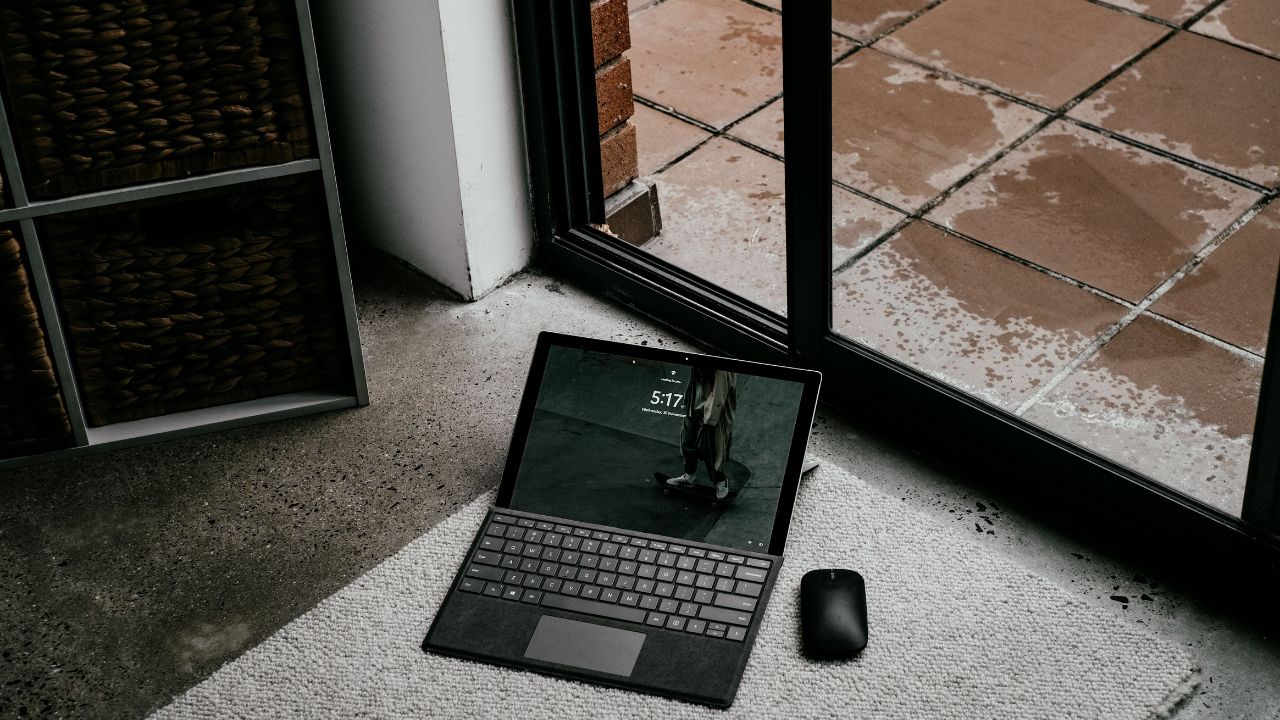
Do you want a device that works as both a laptop and a tablet? If yes, a 2-in-1 laptop is the perfect choice for you. These versatile machines let you type up a document, flip the screen back, and watch a movie or draw with a pen. Over the past few years, convertible notebooks have become thinner, faster, and much more power-efficient.
This comprehensive buyer’s guide will help you find the best 2-in-1 laptops available in 2026. We analyze the top models from trusted brands like Lenovo, HP, MSI, and Dell. Our team looked closely at key performance metrics, including processor efficiency, battery lifespan, hinge durability, and screen brightess. Whether you are a college student, a digital creator, or a remote professional, there is a perfect hybrid PC waiting for you.
Why Choose a 2-in-1 Laptop in 2026?
Modern computing demands flexibility. Many users prefer a tactile experience where they can interact directly with the operating system using a stylus or touchscreen panel. A traditional clamshell laptop restricts you to a static keyboard and trackpad layout. In contrast, a flexible hybrid computer lets you adjust the form factor based on your immediate task.
- Laptop Mode: Perfect for typing long reports, coding, or managing data spreadsheets.
- Tablet Mode: Excellent for reading digital textbooks, signing PDF forms, or sketching digital artwork.
- Tent Mode: Ideal for giving presentations, sharing your display during a meeting, or streaming videos on a small desk.
The current generation of hardware brings incredible upgrades. Thanks to advanced system-on-chip architectures like Intel Lunar Lake and Snapdragon X series, these devices no longer compromise on performance or suffer from heavy battery drain.
1. Best Overall Convertible: Lenovo Yoga 9i Gen 10 Aura Edition
Lenovo is widely recognized as the pioneer of the modern convertible notebook form factor. The Lenovo Yoga 9i Gen 10 Aura Edition stands as the absolute king of the premium 2-in-1 landscape in 2026. It blends elite processing power with a gorgeous chassis design that handles everyday tasks and professional creative workloads with ease.
Performance and Display Quality
This machine features a breathtaking 14-inch OLED touchscreen display panel. The screen produces incredibly deep ink-blacks and rich, vibrant colors. It has a responsive 120Hz refresh rate, making scrolling and pen input look buttery smooth. Under the hood, it utilizes high-end Intel processing cores along with smart AI optimizations to save power when you are working on simple web browsing or text documents.
Design and Extra Features
The build quality features smooth, rounded aluminum edges that are comfortable to hold in tablet mode. A major highlight is the rotating soundbar hinge. No matter how you tilt or flip the screen, the audio always fires directly toward your ears. Lenovo also packages a high-precision digital stylus right inside the box, saving you from spending extra cash on accessories.
|
Feature |
Specification Details |
|
Processor Type |
Intel Core Ultra Series (Lunar Lake Architecture) |
|
Memory Options |
Up to 32GB RAM |
|
Screen Resolution |
14-inch 2.8K or 4K OLED Touchscreen |
|
Battery Lifespan |
Up to 14 hours of continuous real-world use |
|
Storage Space |
Up to 2TB NVMe Solid State Drive |
2. Best Premium Alternative: HP OmniBook Ultra Flip 14
HP rebranded its famous Spectre line into the modern OmniBook series. The HP OmniBook Ultra Flip 14 serves as a direct competitor to the Yoga 9i, offering a remarkably sharp design and a clean corporate finish.
Sleek Engineering
The OmniBook Ultra Flip features a clean, matte-finished aluminum chassis that resists greasy fingerprint marks. It is exceptionally thin and light, weighing roughly 1.3 kilograms. The 360-degree hinge assembly is engineered to be quite stiff. This stiffness prevents the display screen from wobbling or shaking when you tap on it with your finger or write with a stylus pen.
Everyday Computing Efficiency
Powered by Intel Lunar Lake chips, this hybrid computer focuses on quiet efficiency. It stays cool to the touch during long typing sessions. While it lacks hyper-threading technology for heavy multi-threaded video rendering, its single-core speed is snappy and responsive for everyday web browsing, office tasks, and business applications.
|
Feature |
Specification Details |
|
Processor Type |
Intel Core Ultra 7 256V / 258V |
|
Graphics Processing |
Integrated Intel Arc Graphics |
|
Screen Resolution |
14-inch 3K OLED Display panel |
|
Camera Quality |
9-Megapixel high-definition webcam |
|
Wireless Tech |
Wi-Fi 7 and Bluetooth 5.4 |
3. Best Business Machine: MSI Prestige 14 Flip AI+
If you travel frequently for work or manage a business, you need long battery runtime and plenty of connectivity ports. The MSI Prestige 14 Flip AI+ is an absolute battery beast built specifically for commercial professionals.
Record-Breaking Battery Lifespan
This computer sets record-breaking battery scores in hardware testing labs. It can easily survive a 16-hour workday without ever needing to plug into a wall outlet. This incredible efficiency is achieved by combining a high-capacity lithium battery pack with Intel’s highly efficient processor line.
Port Connectivity and Input
Unlike many ultra-thin convertibles that force you to carry external dongles, MSI includes a generous array of traditional physical ports. You get multiple high-speed USB ports, a dedicated video output port, and a secure headphone port. It also includes a specialized DialPad built into the trackpad area, which allows creators to spin a digital wheel to adjust settings in creative software apps.
|
Feature |
Specification Details |
|
Processor Type |
Next-Gen Intel Efficient Core CPU |
|
Memory Options |
16GB or 32GB High-Speed RAM |
|
Chassis Weight |
Approximately 1.4 Kilograms |
|
Input Stylus |
Nano Pen with built-in chassis storage slot |
|
Security Features |
Infrared face unlock camera and privacy shutter |
4. Best Mid-Range Value: Lenovo Yoga 7i 2-in-1 (14-Inch)
You do not need to spend thousands of dollars to get a high-quality user experience. The Lenovo Yoga 7i 2-in-1 brings premium aluminum design and elite battery traits down to a highly accessible price point.
Practical Performance Balance
The base configuration ships with an Intel Core Ultra 5 chip and 16GB of system memory. This hardware configuration is more than powerful enough for handling school research papers, spreadsheet management, and multimedia viewing. The display uses a vibrant OLED touch layer that provides deep color saturation, though it has a standard 60Hz refresh rate rather than a fast 120Hz panel to save production costs.
Exceptional Battery Performance
The Yoga 7i features a large 70-Watt-hour battery cell inside its frame. In media tests, it successfully streams online videos for more than 15 hours continuously on a single charge. This long endurance makes it an outstanding companion for university students who spend all day moving between classrooms without access to power outlets.
|
Feature |
Specification Details |
|
Processor Type |
Intel Core Ultra 5 226V / Ultra 7 256V |
|
Display Panel |
14-inch Full HD+ OLED Touchscreen |
|
Physical Ports |
HDMI port, 2x Thunderbolt 4, 1x USB Type-A |
|
Wireless Standard |
Wi-Fi 7 Connectivity |
|
Price Category |
Mid-range affordable value |
5. Best Budget Detachable: Lenovo Chromebook Duet Gen 9
If your computing needs are basic, or you are shopping for a younger student, a full Windows laptop might be unnecessary and overly complex. The Lenovo Chromebook Duet Gen 9 offers a highly flexible detachable tablet experience at a fraction of the cost of premium machines.
Detachable Design Form Factor
Unlike convertible laptops where the keyboard folds backward 360 degrees, a detachable device allows you to completely pull the keyboard panel away from the screen. This transforms the device into a true, lightweight media tablet. When you need to type out an essay or an email, you simply snap the magnetic keyboard back onto the metal base.
Fast and Secure ChromeOS
The device runs on Google’s ChromeOS operating system. ChromeOS is highly optimized to run smoothly on budget-friendly mobile processors. It boots up in seconds, updates automatically in the background, and features built-in security protections against digital malware infections. It is an ideal option for anyone who spends most of their time working inside web browsers, Google Docs, or streaming entertainment apps.
|
Feature |
Specification Details |
|
Operating System |
Google ChromeOS |
|
Design Type |
Detachable tablet with a magnetic keyboard cover |
|
Screen Size |
Compact 11-inch crisp display panel |
|
Port Layout |
Dual USB-C ports for charging and data accessories |
|
Best Target User |
Students, kids, and basic web browsers |
Crucial Buying Advice: How to Choose Your Ideal 2-in-1 Laptop
When shopping for a hybrid convertible device, keeping a few key technical specifications in mind will save you from frustrating performance bottlenecks down the road.
1. Convertible vs. Detachable Form Factors
Decide whether you want a permanent 360-degree folding hinge (convertible) or a screen that physically separates from the keyboard unit (detachable). Convertibles offer sturdier typing experiences on your lap. Detachables are much lighter and far more comfortable to hold in your hands for long periods like an iPad.
2. RAM (System Memory) Requirements
Never buy a Windows 2-in-1 laptop with less than 16GB of RAM in 2026. System memory cannot be upgraded later because it is permanently soldered directly onto the motherboard to keep the frame thin. Having 16GB or 32GB ensures that your device can handle opening dozens of web tabs alongside office software without slowing to a crawl.
3. Display Type: OLED vs. IPS LCD
OLED panels look stunning with infinite contrast ratios and rich colors, making them perfect for movies and photo editing. However, they feature highly reflective glossy glass covers that can create harsh glare in sunny rooms. If you work under bright office lights or outdoors, look for an IPS display with a matte, anti-glare finish to reduce eye strain.
Frequently Asked Questions (FAQ)
Are 2-in-1 laptops durable enough to last for years?
Yes. Modern 360-degree hinges are made from heavy-duty steel or zinc alloys. Manufacturers test these components thousands of times to make sure they do not loosen or snap over years of daily bending.
Can I play heavy video games on a convertible laptop?
Most 2-in-1 laptops use integrated graphics processors rather than large, power-hungry dedicated gaming graphics cards. They can easily play casual games, indie titles, or cloud-streamed games, but they are not designed to run heavy, graphically demanding games smoothly.
Do these laptops always come with a stylus pen included?
It depends on the specific model and brand. Premium options like the Lenovo Yoga 9i and MSI Prestige include a high-precision stylus inside the retail box. Other brands may require you to purchase the digital pen separately as an optional accessory.
Does tablet mode automatically turn off the keyboard keys?
Yes, absolutely. The moment the heavy-duty hinge bends past 180 degrees, the internal software automatically disables the physical keyboard keys. This design choice means you can comfortably rest your fingers against the keys on the back of the device without triggering accidental typing inputs.
Final Words
Choosing the right 2-in-1 laptop comes down to identifying your daily workflow needs and balancing your personal budget. If you want the absolute best display tech, superior rotating sound design, and effortless everyday performance, invest your money into the Lenovo Yoga 9i Aura Edition. If long battery runtime is your primary goal, choose the MSI Prestige 14 Flip AI+. For budget-conscious shoppers, mid-range options like the Lenovo Yoga 7i provide top-tier traits without draining your bank account. Take a moment to evaluate your daily computing habits, choose a screen that treats your eyes well, and enjoy the true freedom of a flexible hybrid PC!