
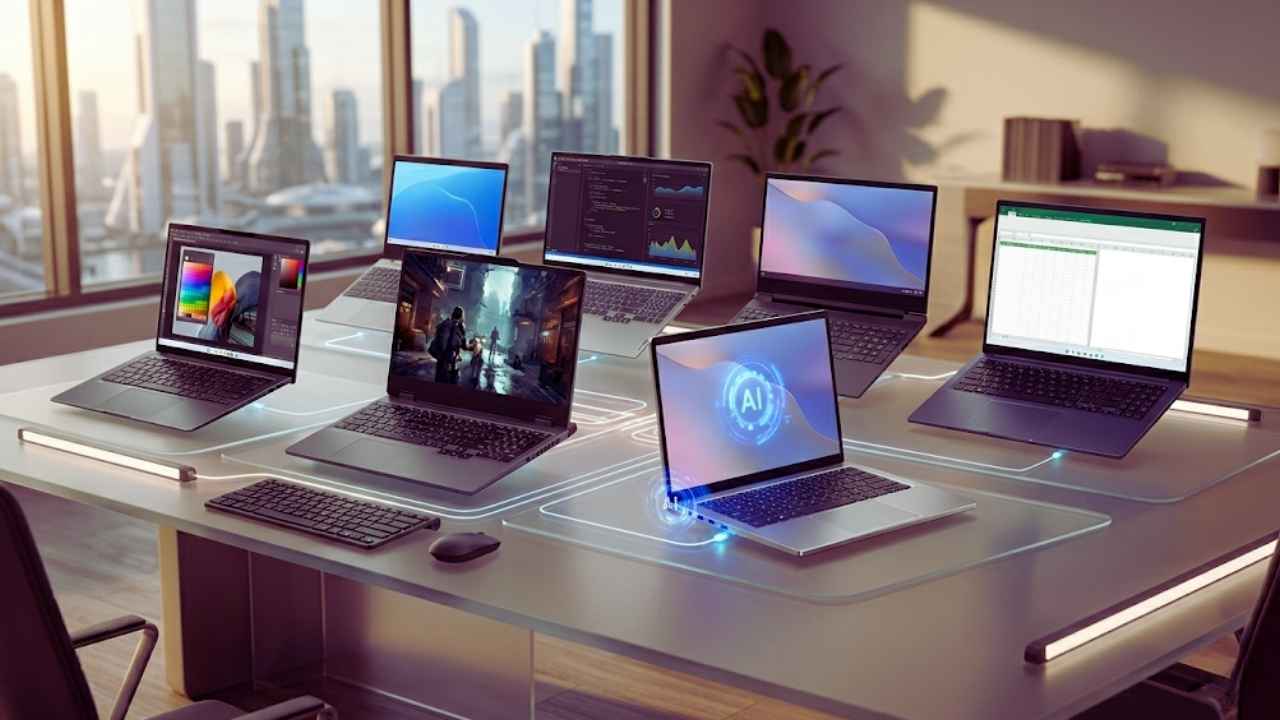
Finding a reliable laptop that does not drain your bank account can feel like searching for a needle in a digital haystack. You want speed, you want a good screen, and you definitely want a battery that lasts longer than a single movie. The good news is that the budget laptop market has shifted drastically over the last few years.
Features that were strictly reserved for premium machines are now standard in the sub-$800 category. Whether you are a college student crunching data, a casual gamer needing solid frame rates, or a remote worker looking for a dependable daily driver, you no longer have to compromise on performance. In this guide, we will break down exactly what you should expect for your money this year and review the best laptops under $800 in 2026 that offer unbeatable value.
Why You Should Look for the Best Laptops Under $800 in 2026
Artificial Intelligence and Efficiency
The current laptop landscape is entirely defined by artificial intelligence and power efficiency. Processors like the Intel Core Ultra series and AMD Ryzen AI chips have finally trickled down into more affordable price brackets. These modern chips include a Neural Processing Unit (NPU) designed specifically to handle background tasks, like blurring your webcam feed or canceling background noise during a meeting.
Because the NPU handles these specific, repetitive tasks, your main processor does not have to work as hard. This means your computer stays physically cooler on your lap, the fans do not spin up aggressively while you are on a video call, and your battery lasts significantly longer. It is a massive leap forward for everyday usability, proving that you do not need to spend two thousand dollars to get smart, adaptive technology in your daily workflow. You are getting a machine that learns how to allocate power efficiently, extending the overall lifespan of the device.
|
Tech Feature |
What It Does |
Why It Matters for Budget Laptops |
|
Dedicated NPU |
Handles AI background tasks locally |
Frees up CPU, saving massive battery life |
|
Smart Cooling |
Adjusts fan speeds based on workload |
Keeps the laptop silent during office work |
|
AI Noise Cancelation |
Filters background audio on calls |
Makes cheap microphones sound professional |
|
Adaptive Battery |
Learns charging habits over time |
Prevents battery degradation over the years |
Display and Memory Upgrades
We are also seeing a massive shift in display technology and memory standards across the board. A few years ago, buying a budget laptop meant staring at a washed-out screen with terrible viewing angles and settling for a measly 8GB of RAM. Now, higher refresh rates and better color accuracy are becoming the absolute norm. We are even starting to see entry-level OLED screens making their way into this budget range, offering perfect blacks and vibrant colors for movie watching.
Memory standards have shifted in a similar way, with 16GB of RAM becoming the standard baseline. This is a huge relief because modern web browsers and common applications eat up memory faster than ever before. Spending up to $800 right now hits the perfect intersection of longevity, visual fidelity, and solid build quality, ensuring you will not feel the need to upgrade again in just a couple of years.
|
Component |
Previous Budget Standard |
2026 Budget Standard |
Real-World Impact |
|
RAM Capacity |
8GB DDR4 |
16GB DDR5 |
You can keep dozens of browser tabs open without lag |
|
Display Panel |
1080p TN (Dull colors) |
1200p IPS or OLED |
Movies and photos look incredibly vibrant and sharp |
|
Screen Ratio |
16:9 Aspect Ratio |
16:10 Aspect Ratio |
Taller screens mean less scrolling through documents |
|
Refresh Rate |
60Hz |
90Hz to 120Hz |
Moving your mouse and scrolling feels buttery smooth |
Detailed Review of the Top 8 Laptops Under $800 in 2026
1. Asus VivoBook 16 AI
The Asus VivoBook 16 AI strikes a brilliant balance between raw performance and everyday usability. Asus has managed to pack a massive 16-inch display into a chassis that still feels relatively portable, making it a fantastic option for anyone who likes to split their screen between spreadsheets, web browsers, and media players. That 16:10 aspect ratio gives you more vertical space, which means less scrolling when you are reading long documents.
Under the hood, it packs an efficient AMD Ryzen processor that easily handles heavy web browsing and typical office workloads without breaking a sweat. What makes this laptop stand out is its exceptional battery life, which often pushes well past a standard workday thanks to the low-power chip architecture. The keyboard is roomy and comfortable for long typing sessions, and while the build is mostly high-quality plastic, it feels remarkably rigid without any annoying deck flex.
|
Specs & Features |
Details |
Pros & Cons |
|
Processor |
AMD Ryzen 5 or 7 AI Series |
Pro: Massive, bright 16-inch screen |
|
RAM & Storage |
16GB DDR5 / 512GB SSD |
Pro: Incredible all-day battery life |
|
Display |
16-inch 1200p IPS |
Con: Physical footprint is quite large |
|
Best Suited For |
Office work and home use |
Con: Plastic chassis shows fingerprints |
2. Acer Nitro V 16 AI
Gaming on a budget used to mean suffering through low frame rates and muddy graphics, but the Acer Nitro V 16 AI changes that narrative completely. While it lacks the flashy aluminum construction of high-end gaming rigs, it focuses entirely on internal performance. The plastic chassis is thick, but it leaves plenty of room for a robust cooling system that keeps the keyboard comfortable even during intense gaming sessions.
This laptop is equipped with a highly capable dedicated graphics card and a snappy processor, allowing you to play modern multiplayer titles smoothly. It features a fast 1200p display with a high refresh rate, giving you a slight vertical advantage and buttery-smooth motion tracking. Physical connectivity is abundant, ensuring you can plug in an external mouse, keyboard, and monitor without needing extra dongles. If you want high frame rates without the premium price tag, this is your best option.
|
Specs & Features |
Details |
Pros & Cons |
|
Processor |
Intel Core i5 or AMD Ryzen 5 |
Pro: Dedicated graphics for modern gaming |
|
RAM & Storage |
16GB DDR5 / 512GB SSD |
Pro: High refresh rate display for esports |
|
Graphics |
Nvidia RTX 4050 (or equivalent) |
Con: Battery life is poor when gaming |
|
Best Suited For |
Budget PC Gamers |
Con: Heavy and bulky to carry around |
3. Apple MacBook Neo
Apple recognized the demand for a truly affordable entry point into their ecosystem, and the MacBook Neo fills that gap perfectly. Aimed at students, casual users, and first-time buyers, this device brings the seamless macOS experience to a price point that sits comfortably under our limit. It is designed for people who want the reliability of an Apple product without paying for professional-grade rendering power.
Powered by highly efficient silicon derived from their mobile processors, the MacBook Neo is completely fanless and entirely silent. It offers a battery life that outpaces almost everything else on this list, easily surviving a full day of classes and an evening of Netflix on a single charge. It maintains a solid build quality, along with an excellent trackpad and an accurate keyboard. While it is not meant for heavy video editing, it flies through everyday tasks, web browsing, and document formatting with absolute ease.
|
Specs & Features |
Details |
Pros & Cons |
|
Processor |
Apple entry-level Silicon |
Pro: Completely silent, fanless operation |
|
RAM & Storage |
8GB or 16GB Unified / 256GB SSD |
Pro: Industry-leading battery life |
|
Display |
13.3-inch Retina Display |
Con: Very limited physical port selection |
|
Best Suited For |
Students and macOS fans |
Con: Base model storage fills up quickly |
4. Lenovo IdeaPad Slim 3i Chromebook
Sometimes, absolute simplicity is exactly what you need. The Lenovo IdeaPad Slim 3i Chromebook is designed for users whose digital lives live entirely in the cloud. If your day consists of using Google Docs, checking email, and watching YouTube, spending extra money on a Windows machine might be completely unnecessary. This Chromebook is incredibly lightweight and easy to throw into a backpack for a daily commute.
Because ChromeOS is such a lightweight operating system, the budget-friendly components inside this machine run exceptionally well without stuttering. It boots up in seconds, it is practically immune to traditional computer viruses, and it offers enough battery life to get you through back-to-back classes. It is the ultimate low-maintenance laptop for people who just want to get online fast, offering a stress-free computing experience for casual users.
|
Specs & Features |
Details |
Pros & Cons |
|
Processor |
Intel Core i3 or N-Series |
Pro: Extremely fast boot times |
|
RAM & Storage |
8GB RAM / 128GB eMMC |
Pro: Immune to standard Windows viruses |
|
Display |
14-inch 1080p IPS |
Con: Useless without an internet connection |
|
Best Suited For |
Cloud-based work and school |
Con: Cannot run heavy local applications |
5. Acer Aspire Go 15
If your budget is extremely tight and you just need something that works right out of the box, the Acer Aspire Go 15 is a phenomenal choice. Often priced well under the maximum budget, it manages to offer 16GB of RAM and a spacious 512GB solid-state drive, which is almost unheard of in the ultra-budget category. Most laptops at this price still try to sell you on a measly 8GB of memory.
The laptop relies on a budget-friendly Intel N-series processor. It is not going to win any speed contests, and you should definitely not buy it for gaming, but for paying bills, watching streaming services, and doing light homework, it is perfectly adequate. The 15.6-inch screen is surprisingly sharp, and you get a very generous selection of ports including HDMI and standard USB. It is the perfect bare-bones productivity machine for a simple home office setup.
|
Specs & Features |
Details |
Pros & Cons |
|
Processor |
Intel N-Series Quad-Core |
Pro: Massive amount of RAM for the price |
|
RAM & Storage |
16GB RAM / 512GB SSD |
Pro: Excellent variety of physical ports |
|
Display |
15.6-inch 1080p |
Con: Processor struggles with heavy apps |
|
Best Suited For |
Ultra-budget home office |
Con: Overall design feels a bit cheap |
6. HP Envy x360 14
For those who want the functionality of a tablet and a traditional computer in one device, the HP Envy x360 14 remains a top-tier choice. The 360-degree hinge allows you to prop it up in tent mode for watching movies on an airplane or fold it completely flat to use as a tablet for digital sketching and note-taking. The touch display is vibrant and highly responsive to finger inputs and stylus pens.
HP includes a comfortable, tactile keyboard that makes typing long essays an absolute breeze. Built with a sleek aluminum chassis, it looks and feels like a device that costs twice as much. It is an ideal companion for creative professionals, digital artists, or university students who prefer handwriting their notes directly onto the screen during lectures. You get incredible versatility without sacrificing the performance of a traditional laptop.
|
Specs & Features |
Details |
Pros & Cons |
|
Processor |
AMD Ryzen 5 or Intel Core Ultra 5 |
Pro: Versatile 2-in-1 folding design |
|
RAM & Storage |
16GB RAM / 512GB SSD |
Pro: Premium aluminum build quality |
|
Display |
14-inch 1200p Touchscreen |
Con: Glossy screen causes heavy glare |
|
Best Suited For |
Note-takers and digital artists |
Con: Slightly heavier than standard 14-inchers |
7. Dell Inspiron 14 Plus
The Inspiron line has always been a staple for business and student use, and the 14 Plus model brings a touch of premium performance to the mid-range market. It strikes a great balance between screen real estate and portability, making it easy to commute with while still offering enough visual space to work comfortably without squinting.
This specific model generally features robust cooling and slightly more powerful processors than the standard Inspiron line, meaning it can handle massive spreadsheets or heavy browser tabs without stuttering. The build quality is excellent, the webcam is sharp and features noise reduction for virtual meetings, and it features a minimalist silver design that looks highly professional in any corporate setting. If you need a workhorse machine that fits quietly into a professional environment, this is exactly what you need.
|
Specs & Features |
Details |
Pros & Cons |
|
Processor |
Intel Core Ultra 7 (H-Series) |
Pro: Very powerful processor for work |
|
RAM & Storage |
16GB DDR5 / 1TB SSD |
Pro: Sharp, noise-reducing webcam |
|
Display |
14-inch 2.5K Resolution |
Con: Audio quality from speakers is weak |
|
Best Suited For |
Remote workers and business |
Con: Design is a bit plain and boring |
8. Asus Chromebook Plus CX34
Google created the Chromebook Plus initiative to force manufacturers to meet strict hardware standards, guaranteeing a premium user experience. The Asus Chromebook Plus CX34 exceeds these expectations, offering zippy processor performance and a highly memorable, comfortable keyboard that puts other budget keyboards to shame. Unlike cheap educational models, the CX34 feels distinctly premium in the hands.
It is capable of running more intensive web applications, handling dozens of active browser tabs, and even running Linux development tools or localized Android applications smoothly. It features a chic design, a great array of connectivity options, and a bright display. If you love ChromeOS but hate the cheap plastic feel of traditional models, this is the exact upgrade you are looking for to boost your productivity.
|
Specs & Features |
Details |
Pros & Cons |
|
Processor |
Intel Core i3 or i5 |
Pro: Best-in-class comfortable keyboard |
|
RAM & Storage |
8GB or 16GB RAM / 256GB SSD |
Pro: Feels highly premium for a Chromebook |
|
Display |
14-inch 1080p IPS |
Con: Operating system is still limited |
|
Best Suited For |
Heavy web users and writers |
Con: Speakers lack bass and depth |
2026 Laptop Buying Guide: What Specs Make the Cut
Processors and Neural Processing Units (NPUs)
The processor acts as the literal brain of your computer. In the current market, you should aim for the Intel Core Ultra series or AMD Ryzen AI processors. These modern chips are unique because they include a Neural Processing Unit. The NPU is a dedicated section of the silicon chip designed to handle artificial intelligence tasks locally.
Instead of your main processor working overtime to blur your background during a video call or manage battery output, the NPU handles it efficiently in the background. This drastically improves battery life, keeps your laptop running silently, and ensures your device is future-proofed for the wave of AI software coming down the pipeline. Understanding the difference between an old-school processor and a modern AI-capable chip is the key to getting the best value out of your money this year.
|
Processor Tier |
Manufacturer Options |
Best Use Case |
|
Ultra-Budget |
Intel N-Series / AMD Athlon |
Basic web browsing and paying bills |
|
Mid-Range |
Intel Core Ultra 5 / Ryzen 5 AI |
Heavy office work, multitasking, student life |
|
Performance |
Intel Core Ultra 7 / Ryzen 7 AI |
Light video editing, large database management |
|
Gaming Focus |
Intel Core i5 (H-Series) / Ryzen 5 |
Running modern 3D games with a dedicated GPU |
RAM and Storage Standards
Memory, or RAM, dictates how many applications and browser tabs you can keep open at the same time without the computer freezing up or lagging. You should actively avoid any Windows computer that comes with 8GB of RAM unless it is heavily discounted or you are on a strict sub-$300 budget. To ensure smooth multitasking, 16GB is the absolute new minimum standard you should accept.
For storage, look for a 512GB solid-state drive at the very least. A smaller 256GB drive will fill up incredibly fast once you install your operating system, a few core applications, and save a batch of high-resolution photos. Securing enough memory and storage right out of the box is vital because most modern thin-and-light laptops do not allow you to upgrade these parts yourself later on down the road.
|
Component Type |
Minimum Acceptable |
Recommended for 2026 |
Why You Need It |
|
Memory (RAM) |
8GB (Only for ChromeOS) |
16GB DDR5 |
Prevents the system from crashing under load |
|
Storage Drive |
256GB SSD |
512GB NVMe SSD |
Fast boot times and plenty of room for files |
|
Upgradability |
Soldered RAM |
Expandable slots |
Allows you to add more memory in a few years |
|
Storage Speed |
SATA SSD |
PCIe Gen 4 NVMe |
Opens massive applications in mere seconds |
Display Quality
The screen is the part of the computer you will stare at all day long, so do not compromise here to save a few bucks. Avoid any laptop that lists a TN panel, as these older screens have terrible viewing angles and washed-out colors that will strain your eyes. You should insist on an IPS display with at least a 1080p resolution to keep text looking crisp.
Better yet, look for a 16:10 aspect ratio, which gives you more vertical screen space for reading websites and editing documents. Pay close attention to screen brightness as well; aim for at least 300 nits of brightness so the screen is easily readable in well-lit rooms or near a sunny window in a coffee shop. A bad screen can ruin an otherwise powerful laptop, so prioritize visual clarity.
|
Display Feature |
What to Avoid |
What to Look For |
Impact on User |
|
Panel Type |
TN (Twisted Nematic) |
IPS or OLED |
Wider viewing angles and rich, true colors |
|
Resolution |
720p (HD) |
1080p (FHD) or 1200p |
Crisp text that prevents nasty eye strain |
|
Brightness |
200 to 250 nits |
300 nits or higher |
Allows you to work outside or in bright offices |
|
Refresh Rate |
60Hz on gaming laptops |
90Hz to 120Hz |
Makes everyday scrolling feel incredibly fluid |
Final Thoughts
Wrapping up your search for a new computer does not have to be an overwhelming or stressful experience. The devices available right now are incredibly capable, so it is honestly hard to make a genuinely bad choice if you follow the basic spec guidelines we outlined. You simply need to align the hardware with the software you use the most on a daily basis.
If you want the absolute best laptops under $800 in 2026, pay attention to the memory, grab a modern processor with an NPU, and enjoy the ride. We hope this breakdown gives you the total confidence you need to upgrade your setup. Take your time, weigh your options, and pick the machine that makes your daily workflow feel completely effortless.
Frequently Asked Questions (FAQs) About Best Laptops Under 800
Are budget laptops capable of handling local AI models?
Yes, but with limitations. Thanks to the inclusion of NPUs in modern budget processors, you can run small, localized language models directly on your machine without an internet connection. However, these machines do not have the massive amount of video memory required to train large datasets or generate complex high-resolution AI images locally.
Can I upgrade the RAM on sub-$800 laptops?
Rarely. In an effort to make laptops thinner and cheaper to manufacture, almost all brands now solder the memory chips directly to the motherboard. This means you cannot open the bottom of the laptop and add more RAM later. You must buy the exact amount of memory you think you will need for the entire lifespan of the device right on day one.
Do these laptops support Wi-Fi 7?
Many of the newer models hitting the market in 2026 are beginning to include Wi-Fi 7 network cards. This technology drastically reduces latency and improves speed, but you will only see those benefits if you also own a modern Wi-Fi 7 router at home. If you have an older router, the laptop will simply connect using standard Wi-Fi 6 speeds.
Will an OLED screen at this price suffer from burn-in?
Screen burn-in was a major concern for early OLED panels, but modern manufacturers include software features that constantly shift the pixels imperceptibly to prevent static images from burning into the screen. As long as you do not leave the screen turned on at maximum brightness displaying a static image for 24 hours a day, burn-in is highly unlikely to affect you.