
Imagine walking up to your front door with your hands full of heavy grocery bags. Instead of putting everything down on the cold floor to dig for your house keys, your door simply clicks open by itself. This is not science fiction. It is the everyday reality of owning a modern smart lock.
Over the last few years, home automation has changed from a fancy luxury into a practical necessity. Your front door is the first line of defense for your family and your belongings. Upgrading to a high-quality smart lock does not just make your life more convenient. It also brings advanced security features that old brass keys can never match.
In 2026, the smart lock market is better than ever before. Brands have listened closely to homeowners. The newest models focus heavily on fast biometric fingerprint scanners, long battery life, local data storage, and zero monthly subscription fees. We also see the widespread growth of Matter and Thread technologies. These new smart home standards mean your lock will talk to your Apple Home, Google Home, Amazon Alexa, or Samsung SmartThings hub faster and more reliably than ever before.
With so many choices out there, finding the right fit for your entryway can feel overwhelming. Do you want a touch screen, a fingerprint reader, or a built-in video camera? Do you need a lock that works with your existing keys, or do you want to get rid of physical keys completely?
This extensive guide will walk you through the very best smart locks for your front door available today. We spent hours evaluating specs, security ratings, and user experiences to bring you the top choices for every budget and lifestyle.
What to Look For Before You Buy a Smart Lock
Before we dive into the specific model reviews, it helps to understand what features matter most. Not all smart locks are built the same way. Choosing the wrong type can lead to installation headaches or a lock that does not fit your daily routine. Here are the main pillars of smart lock shopping.
1. Retrofit vs. Full Deadbolt Replacement
Smart locks generally fall into two design categories:
- Retrofit Smart Locks: These locks only replace the interior thumb-turn piece of your deadbolt. The exterior side of your door remains exactly the same. This means you can keep using your original physical keys. Retrofit models are perfect for renters or anyone who wants a subtle look.
- Full Deadbolt Replacements: These packages replace everything, including the internal mechanism, the interior turn, and the exterior hardware. You get a brand-new keypad, a fingerprint scanner, or a keyhole outside. These offer more features but require a bit more installation work.
2. Connectivity Types: Wi-Fi, Bluetooth, Z-Wave, and Thread
How your lock connects to your phone and your smart home system determines its speed and battery performance:
- Wi-Fi: Connects directly to your home internet router. It allows you to lock and unlock your door from anywhere in the world. However, built-in Wi-Fi drains batteries much faster.
- Bluetooth: Uses very little power, so your batteries last a long time. The downside is that it only works when you are within roughly 30 feet of the door. To control it remotely, you usually need a separate plug-in Wi-Fi bridge.
- Z-Wave & Zigbee: Highly secure wireless networks used by professional security setups. They require a compatible smart home hub to function.
- Thread & Matter: The modern gold standard for 2026. Thread is a low-power mesh network that responds instantly without slowing down your home Wi-Fi. Matter ensures the lock works seamlessly across different tech brands without any extra adapter pieces.
3. Access Methods
Think about how you want to unlock your door every day. The best smart locks for your front door offer multiple fallback options. You can use biometric fingerprint scanners, numeric PIN codes on a backlit keypad, smartphone apps, proximity key fobs, hands-free auto-unlock via GPS, or even a classic physical backup key.
1. Best Smart Lock Overall: Nest x Yale Smart Lock
┌──────────────────────────────────────┐
│ NEST X YALE SMART LOCK │
├──────────────────────────────────────┤
│ [ Exterior ] [ Interior ] │
│ ┌─────────┐ ┌──────────┐ │
│ │ 1 2 3 │ │ [====] │ │
│ │ 4 5 6 │ │ Batter- │ │
│ │ 7 8 9 │ │ ies │ │
│ │ 0 │ │ │ │
│ └─────────┘ │ ( I ) │ │
│ [ Keyless ] │ Thumb │ │
│ [ Touch ] │ Turn │ │
│ [ Screen ] └──────────┘ │
└──────────────────────────────────────┘
The Nest x Yale Smart Lock remains a dominant powerhouse and our top recommendation for the average homeowner. This lock is a brilliant collaboration between Nest, a leader in smart home tech, and Yale, a company with over 150 years of residential lock experience.
The standout feature of the Nest x Yale is its sleek, completely keyless design. There is no physical keyhole on the exterior touchscreen panel. While a keyless face might seem scary at first, it makes your front door entirely unpickable for burglars. If the internal AA batteries happen to die while you are away, you do not need to panic. There is a small 9-volt battery terminal hidden underneath the bottom edge of the exterior keypad. Holding a standard 9V battery to those contacts gives the lock a temporary burst of juice so you can punch in your PIN code and get inside.
The touchscreen face is bright, responsive, and completely weather-resistant. Through the Google Home mobile app, you can generate unique entry codes for family members, friends, or temporary visitors like dog walkers. You can also customize these codes with specific schedules. For instance, you can set a housekeeper’s code to only work on Tuesdays between 9:00 AM and 12:00 PM.
The lock talks directly to your home network via the Google Home ecosystem. It sends real-time notifications whenever someone locks or unlocks the front door. It also has a built-in auto-lock timer that slides the deadbolt shut automatically after a set period, giving you total peace of mind when you hurry out in the morning.
Quick Look Specifications
|
Feature |
Details |
|
Power Source |
4 AA Batteries (9V Backup Terminal) |
|
Connection Type |
Wi-Fi (via Google Connect Hub) |
|
Access Methods |
Touchscreen PIN Codes, Google Home App |
|
Security Certification |
ANSI/BHMA Grade 2 |
|
Smart Home Support |
Google Assistant, Google Home |
2. Best Biometric and Local Storage Choice: Eufy FamiLock E35
If you absolutely hate paying monthly subscription fees just to look at your smart home history, the Eufy FamiLock E35 is the perfect match for your front door. Eufy has built a stellar reputation by prioritizing consumer privacy, local data storage, and rugged hardware.
The FamiLock E35 shines because it processes and saves all data directly on the lock itself. Your historical entry logs, user custom access codes, and unique biometric templates never travel up into an unsecure cloud server. Everything stays safely inside your entryway.
The biometric fingerprint scanner on this model is incredibly fast and accurate. It reads prints in under 0.3 seconds with a 99% accuracy rate, utilizing a self-learning algorithm that gets better at recognizing your finger even if your skin is slightly damp or cold. Beyond fingerprints, the E35 also includes advanced palm vein scanning technology. By simply raising your open hand toward the sensor, the lock identifies the unique vein patterns underneath your skin. This is an incredible feature for young children or elderly grandparents whose superficial fingerprints may be faint or worn down.
Battery anxiety is a thing of the past with this model. The FamiLock E35 ships with a massive 10,000 mAh rechargeable lithium battery pack. This heavy-duty power supply runs for up to eight straight months on a single charge. As a brilliant engineering backup, Eufy tucked a secondary slide-out tray for standard AAA alkaline batteries inside the interior housing. If the main lithium pack drops to zero, the AAA tray kicks in automatically to give you another full month of runtime.
Quick Look Specifications
|
Feature |
Details |
|
Power Source |
10,000 mAh Lithium Pack + AAA Battery Tray |
|
Connection Type |
Wi-Fi (Direct Local Connection) |
|
Access Methods |
Fingerprint, Palm Vein, Keypad, App, Physical Key |
|
Storage Fee |
$0 (100% Free Local History Logs) |
|
Smart Home Support |
Amazon Alexa, Google Assistant |
3. Best No-Fee Entry-Level Option: Wyze Lock Bolt v2
┌────────────────────────┐
│ WYZE LOCK BOLT V2 │
├────────────────────────┤
│ ┌──────────────────┐ │
│ │ [ Biometric ] │ │
│ │ Fingerprint Top │ │
│ └──────────────────┘ │
│ ┌──────────────────┐ │
│ │ 1 2 3 4 │ │
│ │ 5 6 7 8 │ │
│ │ [ 9 ] [ 0 ] │ │
│ │ Backlit Keypad │ │
│ └──────────────────┘ │
└────────────────────────┘
Upgrading your home security does not have to cost an arm and a leg. The Wyze Lock Bolt v2 delivers elite-level performance at a highly accessible price point under $80. It represents the absolute cheapest way to add real, dependable keyless entry to your home without any hidden traps.
The Wyze Lock Bolt v2 skips built-in Wi-Fi entirely, opting for a hyper-secure, local Bluetooth connection. By focusing purely on Bluetooth, Wyze prevents any possibilities of remote internet hacking. It also means the internal batteries can last for a long time. The main tradeoff is that you cannot lock or unlock the door from across town, but you can easily generate offline recurring or one-time codes for guests while standing right by the door.
The hardware build is simple, matte-black, and surprisingly premium. The top portion of the exterior face holds a lightning-fast biometric fingerprint scanner. Right below that sits a tactile, backlit rubber keypad.
Wyze also includes a smart anti-peeping feature. If someone is standing next to you while you enter your security code, you can type a random string of numbers before or after your actual password. As long as the correct sequence is hidden somewhere inside the long string of button presses, the deadbolt will slide open. This stops nosy neighbors or strangers from memorizing your button patterns.
Quick Look Specifications
|
Feature |
Details |
|
Power Source |
4 AA Batteries (USB-C Emergency Port) |
|
Connection Type |
Bluetooth Local Only |
|
Access Methods |
Fingerprint Sensor, Backlit Keypad, Mobile App |
|
Anti-Peep Feature |
Yes (Supports random digits padding) |
|
Monthly Subscription |
None |
4. Best Ecosystem Integration: Yale Smart Lock with Matter
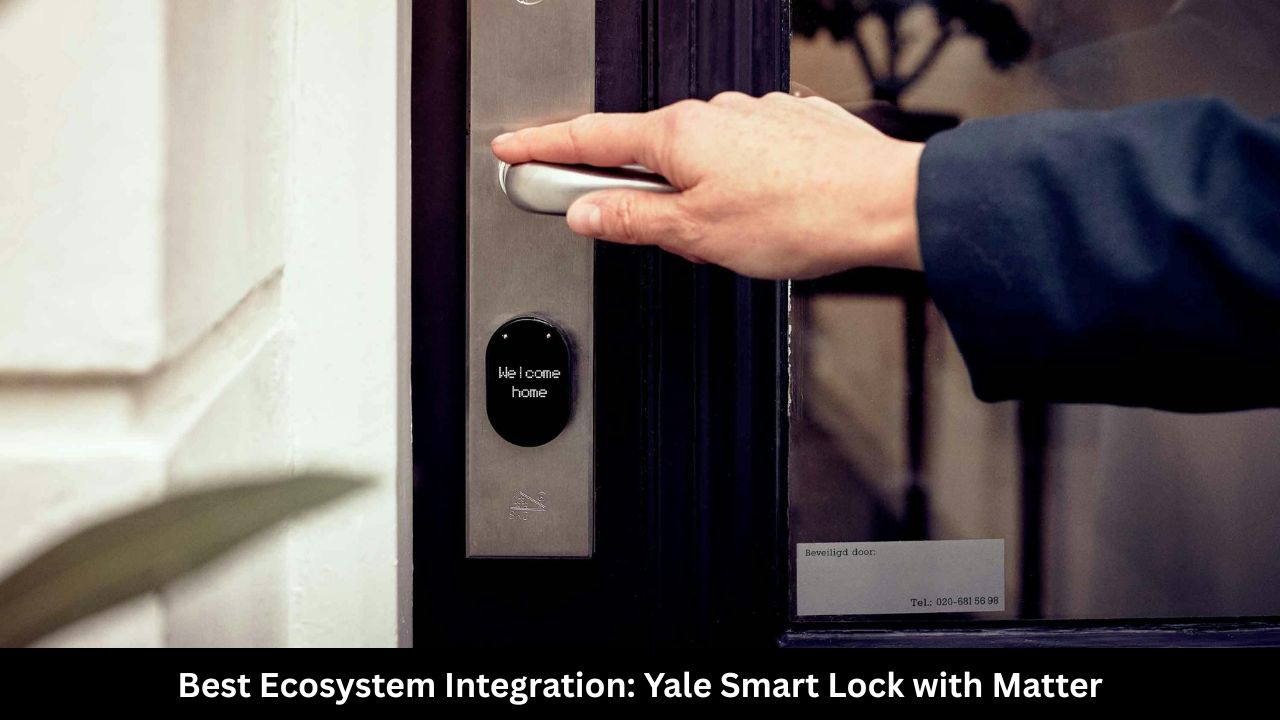
If your house is already filled with smart speakers, voice assistants, and automated lighting schedules, you need a lock that fits in without causing compatibility fights. The Yale Smart Lock with Matter is engineered exactly for multi-platform households.
Matter is a unifying smart home language backed by tech giants like Apple, Google, Amazon, and Samsung. In the past, buying a smart lock meant checking labels carefully to see if it worked with your specific phone brand. This Yale model throws those old barriers away. Thanks to its native Matter compatibility, you can pair the lock with an Apple HomePod in the living room while your family members control it through Google Home or Amazon Alexa apps on their respective phones at the same time.
Instead of burning through batteries on heavy Wi-Fi connections, this lock relies on Thread technology. Thread creates a highly reliable, low-power mesh network throughout your home. Every command you send—whether checking if the door is locked or pulling up the entry history—happens almost instantly.
The exterior of the lock features a clean, glowing touchscreen face that fits beautifully onto both contemporary and historical homes. Yale also sells a sister version called the Assure Lock 2 Plus which adds native support for Apple Home Key. This feature lets iPhone and Apple Watch users tap their devices directly against the lock face to come inside, just like using Apple Pay at a grocery store checkout.
Quick Look Specifications
|
Feature |
Details |
|
Power Source |
4 AA Batteries |
|
Connection Type |
Matter over Thread |
|
Access Methods |
Touchscreen PIN, Smart App, Voice, Physical Key |
|
Smart Home Support |
Apple Home, Google Home, Alexa, SmartThings |
|
Response Speed |
Sub-second via Thread Mesh |
5. Best Power-User Lever Design: Aqara Smart Lock U300
Most smart locks on the market are made exclusively to replace standard deadbolts. But what if your front door, side door, or garage entry uses a single lever-style handle with an integrated spring latch instead? This is where the Aqara Smart Lock U300 comes to the rescue. It is hands-down the most flexible and advanced smart lever lock built for power users.
The U300 is an all-in-one handle and lock mechanism. It supports an absolute mountain of access options, including an app, a biometric fingerprint scanner, a physical keypad, a backup emergency mechanical key, and even NFC card tap unlocking. You can hand small, inexpensive NFC keycards to your children or older relatives who might struggle with fingerprint placement or remembering long number sequences.
For smart home hobbyists, the Aqara U300 is a dream come true. It runs on Matter over Thread, meaning it pairs locally with home controllers like Home Assistant, Apple Home, or an Aqara Hub without routing your personal data through external corporate servers. If you do use the native Aqara app, you gain access to deeply customizable automation triggers. For example, you can set a rule that turns on your hallway lights and drops your home thermostat to a comfortable 72 degrees, but only when your specific fingerprint unlocks the handle after 6:00 PM.
The build quality is incredibly rugged. The entire body is cast from heavy-duty zinc alloy and carries an IP65 weather rating, meaning it can survive freezing winters, humid downpours, and intense dust storms without skipping a beat.