
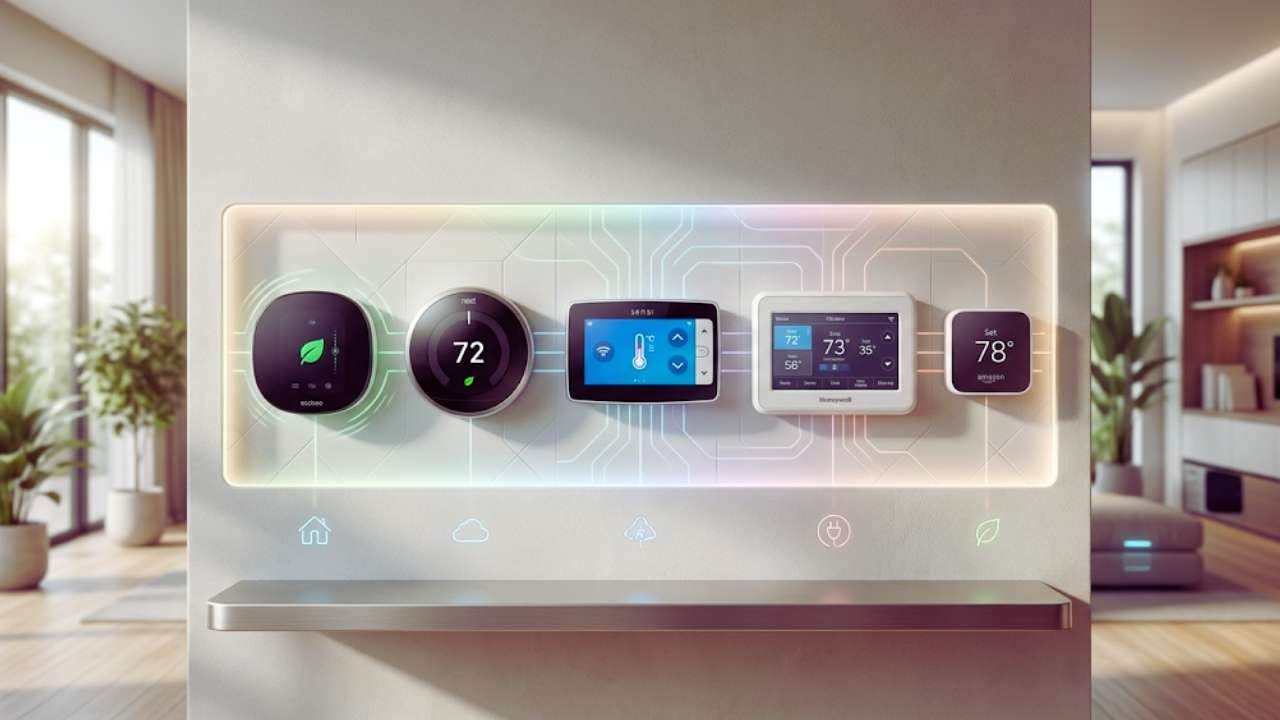
Walking over to a dusty plastic dial on the hallway wall just to turn the heat up feels entirely outdated today. If you are still manually adjusting your home temperature every single morning and night, you are simply throwing money away on your utility bills. Finding the best smart thermostats 2026 offers is the easiest and most practical way to modernize your living space right now.
A smart thermostat pays for itself faster than almost any other tech gadget you can buy for your house. I swapped out my old builder-grade thermostat a few years ago and immediately saw my energy consumption drop. Smart home technology has jumped forward massively over the past twelve months. The devices hitting the market right now do much more than just connect to your local network. They pack built-in air quality sensors, use radar to detect exactly when you walk into a room, and natively support universal smart home standards like Matter.
This means you do not have to worry as much about whether a new gadget will talk to your Apple Home, Google Home, or Amazon Alexa setups. I have spent time digging through the newest releases, testing installation methods, and analyzing energy reports to figure out what actually works. This guide will walk you through the absolute best smart thermostats 2026 brings to the table, covering everything from luxury models to basic budget-friendly options.
Why Upgrade to a Smart Thermostat in 2026?
Upgrading your home climate control system is one of the smartest financial moves a homeowner can make this year as utility rates continue climbing higher every single season. Any savvy homeowner should be looking for ways to stop paying to heat or cool an empty house, and modern automation makes this incredibly easy. Today, the latest smart heating devices pull in live weather data, learn your daily habits, and adjust your air conditioning cycles completely in the background without asking for permission.
You simply install the device on your wall, spend a few days adjusting it to your preferred comfort levels, and then it essentially programs itself to match your lifestyle. The technology has become incredibly reliable, ensuring that you never walk into a freezing cold or blazing hot house again. I noticed a massive improvement in how evenly my house was heated within just two days of installation because the system actively balances hot and cold spots using remote room sensors.
You are no longer just buying a switch for your furnace; you are installing a central brain that actively monitors your indoor air quality, alerts you to needed filter changes, and tracks the overall health of your expensive HVAC equipment.
|
Benefit Area |
Description of Advantage |
Impact on Daily Life |
|
Immediate Energy Savings |
Automatically lowers usage when you leave the house |
Noticeably cheaper utility bills every month |
|
Remote Accessibility |
Control climate settings from any smartphone or tablet |
Never worry if you left the AC running on vacation |
|
Equipment Health Monitoring |
Sends alerts if your furnace or AC acts unusually |
Catch mechanical problems before they become costly |
|
Superior Comfort |
Uses remote sensors to balance uneven room temps |
Eliminates the cold spots in upstairs bedrooms |
AI Learning and Automation
The biggest selling point of the newest models is artificial intelligence. A traditional thermostat does exactly what you tell it to do, even if it wastes massive amounts of energy while you are asleep or at work. The newest thermostats use advanced learning algorithms to study your routine quietly.
If you wake up at seven in the morning, leave for work at eight, and return at five, the system figures out this exact pattern within a week. It then starts turning down the system right after you leave and gently brings the temperature back to your ideal comfort zone roughly thirty minutes before you pull into the driveway.
Advanced Geofencing Capabilities
Geofencing takes home automation a step further by using your smartphone location to trigger actions automatically. You simply draw a virtual boundary around your house on a map within the companion app on your phone. Once your phone crosses that invisible line, the thermostat switches into away mode entirely on its own.
This completely removes the human error of forgetting to adjust the temperature before a long trip. If you have a chaotic schedule that changes every single day, geofencing is vastly superior to setting a static daily schedule.
Indoor Air Quality Tracking
Newer models released over the last year have started focusing heavily on personal health metrics rather than just simple temperature control. We are now seeing smart thermostats equipped with volatile organic compound sensors, humidity trackers, and particulate matter detectors.
If the indoor air quality drops because you burned dinner or opened a window near a busy street, the thermostat can automatically kick on the furnace fan to cycle fresh air through your home filters immediately.
Top 5 Smart Thermostats of 2026
When choosing a specific model to install, you really need to match the hardware features to your actual household needs. Some people want a giant, colorful display that acts as a digital picture frame, while others just want a subtle screen that fades into the background paint. The best smart thermostats 2026 offers run the gamut from high-end luxury smart hubs to affordable simplicity that anyone can operate.
I have broken down the absolute top contenders based on raw performance, smart home integration, design aesthetics, and overall dollar value. This roundup focuses purely on the devices that consistently deliver the best user experience without requiring an IT degree to configure.
We are looking for simple installation apps, reliable Wi-Fi connectivity, and highly intuitive touch controls that make sense the first time you use them. Whether you live in a tiny studio apartment or a massive suburban house with three different heating zones, one of these options will fit your situation perfectly and save you money.
|
Thermostat Model |
Best Used For |
Smart Home Ecosystem |
C-Wire Requirement |
|
Google Nest Learning (4th Gen) |
The Best Overall Choice |
Google, Apple, Amazon (Matter) |
Usually Not Required |
|
Ecobee Smart Premium |
Smart Hub Integration |
Alexa, Siri, SmartThings |
Yes (Includes Adapter) |
|
Amazon Smart Thermostat |
Budget Conscious Buyers |
Amazon Alexa Native |
Yes |
|
Honeywell Home T9 |
Multi-Room Temperature Issues |
Google, Alexa, Apple |
Yes (Includes Adapter) |
|
Sensi Touch 2 |
Easiest DIY Installation |
Alexa, Google, SmartThings |
Yes |
1. Google Nest Learning Thermostat (4th Gen): Best Overall
Google recently launched the fourth generation of its famous Nest Learning Thermostat, and it completely dominates the current competition. They completely overhauled the design, giving it a stunning, borderless glass display that looks like a high-end smartwatch floating right on your hallway wall. The screen is physically larger than previous versions, and it uses a feature called Dynamic Farsight.
This uses a specialized radar chip to sense when you are looking at it from across the room, enlarging the text so you can read the temperature without squinting at all. As you walk closer, the interface shrinks down to show you more detailed information like local weather animations or your indoor humidity levels. It supports Matter right out of the box and includes one remote temperature sensor, making it an incredible value package for anyone.
2. Ecobee Smart Thermostat Premium: Best for Smart Home Integration
If you love data charts and want complete control over your home environment, the Ecobee Smart Thermostat Premium is the ultimate power user device. It features a sleek zinc body and a massive glass touchscreen that feels incredibly premium to the touch every time you walk by. But what makes this unit truly special is what sits inside the durable casing. This thermostat actually acts as a dedicated smart speaker for your house.
It has Amazon Alexa and Apple Siri built directly into the internal hardware. You can stand in your hallway and tell your thermostat to play music, set a cooking timer, or turn off the living room lights entirely hands-free. The Ecobee Premium is also the undisputed king of indoor air quality monitoring, actively scanning your air for pollutants.
3. Amazon Smart Thermostat: Best Budget Option
You absolutely do not have to spend a fortune to get the energy savings of a smart home upgrade today. The Amazon Smart Thermostat retails for a fraction of the cost of the premium models but still handles all the fundamental climate tasks perfectly. The exterior design is highly minimal. It features a simple white plastic square with a clean digital readout that simply vanishes into the background when not in active use.
There are no fancy radar sensors or video doorbell integrations here, but that is exactly why it works so well for so many people. Because it is an Amazon product, it is deeply integrated with the Alexa ecosystem, allowing you to use Alexa Hunches to adjust the climate automatically when it thinks you are asleep.
4. Honeywell Home T9: Best for Multi-Room Comfort
The Honeywell Home T9 might not have the flashy marketing budget of Google or Amazon, but it is an absolute workhorse built by a company that has been making thermostats for over a century. The T9 is specifically designed to solve the frustrating problem of uneven home temperatures across different floors. If your downstairs is freezing while your upstairs is boiling, this is exactly the thermostat you need to buy right now.
It boasts the strongest remote sensor network on the open market, supporting up to twenty individual room sensors at once. These powerful sensors track temperature, humidity, and actual human motion. You can set the T9 to actively follow you around the house, ensuring whatever room you are sitting in remains perfectly comfortable.
5. Sensi Touch 2 Smart Thermostat: Best for Easy Installation
The Sensi Touch 2 is the absolute hidden gem of the smart thermostat market right now. Many people feel overwhelmed by the thought of messing with live electrical wires inside their walls. Sensi completely understands this anxiety and has built the absolute best installation experience currently available.
The smartphone app asks you to take a quick picture of your old wiring and then generates a custom video guide showing exactly where each specific wire goes on the new baseplate. They even built a tiny bubble level straight into the physical hardware so you do not accidentally mount it crooked. Sensi is also widely praised for having the strongest privacy policies in the industry, refusing to sell your personal energy data to third party advertisers.
Key Features to Consider Before Buying
Walking down the hardware store aisle and grabbing the first smart thermostat you see on the shelf is a guaranteed recipe for disaster. Every single home heating and cooling system is wired completely differently, and buying an incompatible device will waste your entire weekend trying to force it to work. You really need to verify your specific electrical setup and understand exactly which tech features are actually useful versus which ones are just clever marketing hype.
I always tell people to pop the front cover off their existing thermostat before they even look at prices online. Taking a quick photo of your wiring block is the most important step in this entire purchasing process. Knowing whether you have high voltage heat baseboards or a standard low voltage furnace dictates exactly what hardware you can legally buy. Check the core technical requirements listed in the table below to make sure you do not buy a paperweight.
|
Feature to Check |
Why It Matters So Much |
What Happens If You Ignore It |
|
C-Wire Presence |
Provides continuous 24-volt power to the screen |
Wi-Fi drops constantly or internal battery dies entirely |
|
High-Voltage Systems |
Smart thermostats only work on low-voltage |
Trying to connect will instantly fry the new device |
|
Matter Support |
Ensures universal smart home compatibility |
You get locked into one single app ecosystem forever |
|
Multi-Stage Support |
Needed if you have complex heat pumps |
The system will not heat your house properly in winter |
The C-Wire Requirement Explained
The common wire is easily the most frustrating part of upgrading a traditional thermostat today. Older dial thermostats used basic alkaline batteries because they just triggered a mechanical switch. Modern smart thermostats have bright full-color screens and constantly transmit Wi-Fi signals, meaning they need a continuous flow of dedicated electricity. The C-wire delivers this direct power from your furnace control board.
If you pull off your current thermostat and only see two or four wires, you likely do not have a C-wire. The Google Nest Learning Thermostat can often use clever power stealing techniques to bypass this, but for most other major brands, you will need to install a small adapter kit behind your wall.
Smart Home Ecosystem Compatibility
You really want your smart home to feel totally unified, not fragmented across a dozen different confusing smartphone apps. If you already use Apple Siri to turn on your living room lights, you should buy a thermostat that supports Apple HomeKit natively without weird workarounds.
The introduction of the Matter standard has made this much easier for everyone. A Matter certified thermostat will theoretically work seamlessly with any major voice assistant platform on the market. Always check the physical box for the Matter logo, as it guarantees your expensive hardware will not become obsolete if you decide to switch from an Android phone to an iPhone next year.
Geofencing and Remote Room Sensors
Do not ever buy a smart thermostat without budgeting for at least one remote room sensor. The central thermostat sitting in your hallway only knows the temperature of that specific hallway. If your hallway is naturally drafty, the thermostat will blast the heat, turning your closed bedroom into a miserable sauna.
Placing a tiny remote sensor on your nightstand completely fixes this annoying issue. Similarly, setting up geofencing is the only way to guarantee maximum energy savings effortlessly. Letting the GPS chip on your phone act as the main trigger for your away mode is far more reliable than expecting a basic motion sensor to guess if you are home.
How Much Money Can a Smart Thermostat Actually Save You?
The absolute main reason anyone buys these connected devices is to lower their monthly living expenses significantly. Manufacturers love to throw around massive percentage claims in their commercials, suggesting you can somehow cut your utility bill entirely in half. While those marketing claims are usually based on highly specific laboratory tests, the real world savings are still substantial enough to easily justify the purchase price.
If you currently leave your central air conditioning running at a brisk sixty-eight degrees all day while you are sitting in a cubicle across town, your savings will be immediate and highly dramatic. The Environmental Protection Agency runs the official Energy Star program, and they have thoroughly tested these specific energy claims across thousands of homes.
Their raw data shows that homes using certified smart climate control save roughly eight percent on heating costs and ten percent on cooling over a standard twelve-month period. Translating that percentage to actual dollars, the average homeowner saves between fifty and one hundred dollars a year entirely in the background. If you purchase a high quality device for two hundred dollars and save roughly eighty dollars a year on wasted energy, the thermostat pays for itself completely in just two and a half years of normal use.
|
Source of Savings |
How The Thermostat Achieves It |
Average Yearly Impact |
|
Automated Away Modes |
Drops system usage while house is completely empty |
Highest source of direct dollar savings year over year |
|
Weather Adjustments |
Pre-cools house before peak utility rate hours hit |
Massive savings on complicated time-of-use energy plans |
|
Filter Reminders |
Alerts you when a clogged filter slows airflow down |
Extends the functional life of your expensive HVAC unit |
|
Monthly Reporting |
Shows you exactly when you use the most power |
Helps you adjust daily habits for further bill reduction |
Automated Away Modes
The primary way you save cash is through pure automation when the house is totally empty. A traditional programmable thermostat assumes you leave the house at the exact same time every single day. If you stay home sick or leave early for a weekend trip, the old thermostat wastes energy blindly following its rigid schedule.
A smart device uses radar, motion sensors, and your phone location to verify that nobody is actually inside the building. Once it confirms the house is empty, it relaxes the temperature parameters, meaning your air conditioner might run half as often on a hot afternoon.
Weather Adjustments and Peak Rates
Many utility companies are switching to time-of-use billing, meaning electricity costs significantly more during the late afternoon when everyone comes home and turns on their appliances. The smartest thermostats pull live weather forecasts from the internet to combat this issue.
If the thermostat sees that a massive heatwave is coming at three in the afternoon, it will pre-cool your house at one in the afternoon when electricity is cheap. Once the expensive peak hours hit, the system turns itself off and lets the house coast on the trapped cold air.
Extending Equipment Lifespan
People completely forget that saving money is not just about lowering the monthly electric bill. Replacing a broken furnace or a blown compressor can easily cost thousands of dollars out of pocket. Smart thermostats act as diagnostic tools for your expensive mechanical equipment. They monitor exactly how long it takes your house to drop one degree.
If the system notices that your air conditioner is running twice as long as it did last month just to cool the living room, it will send an alert to your phone. It usually reminds you to change your air filter, which prevents the blower motor from overheating and dying prematurely.
Final Thoughts
Making the jump to modern climate control is truly a complete no-brainer for anyone who pays their own utility bills. The best smart thermostats 2026 offers provide a massive upgrade in daily comfort and peace of mind when you are away from home. Whether you choose the beautiful, AI-driven Google Nest Learning Thermostat or the ultra-affordable Amazon Smart Thermostat, you are taking a massive step toward running a significantly more efficient home environment.
Smart home technology is only useful if it runs quietly in the background without needing constant attention, and that is exactly what these modern devices deliver. The learning algorithms do the heavy lifting, the geofencing tracks your busy schedule, and the remote sensors ensure every single room feels perfectly balanced. Once you get past the initial thirty minutes of installation and smartphone setup, you rarely ever have to think about them again. They just sit quietly on your wall, saving you money while ensuring your house feels absolutely perfect the exact second you walk through the front door. Stop paying to heat an empty house and make the simple upgrade this weekend.
Frequently Asked Questions (FAQs) About Best Smart Thermostats 2026
Do smart thermostats work if the Wi-Fi goes down?
Yes, absolutely. This is by far the biggest misconception about smart home gear today. If a bad storm knocks out your internet provider, your thermostat will not stop heating your house. It immediately defaults to acting like a traditional digital thermostat. It will continue following whatever internal schedule you previously saved to its local memory drive, and it will still accurately read the ambient air temperature in the room. You can still walk right up to the screen and manually adjust the heat up or down with your fingers. You just lose the ability to change settings from your smartphone app until the router finally comes back online.
Can I install a smart thermostat myself?
If you can use a basic Philips head screwdriver and can flip a switch on your electrical breaker panel, you can absolutely do this yourself. The entire process rarely takes longer than thirty minutes from start to finish. The companion apps are designed for complete beginners, offering literal video tutorials showing you exactly how to push tiny wires into the baseplate terminals. The only critical safety rule you must follow is completely killing the power to your furnace and AC unit at your main circuit breaker box before you unscrew the old thermostat from the wall.
What happens when I move out of my house?
If you currently rent an apartment or eventually sell your home, you absolutely do not have to leave your expensive tech behind for the next guy. You just need to keep your old, dumb thermostat in a hallway closet. When it is finally time to move out, you go into the smart thermostat settings menu and perform a full factory reset. This wipes your Wi-Fi passwords and personal schedules completely clean. Then, unclip the smart screen from the wall, reattach the old thermostat exactly as it was, and pack your smart device securely in a box.
Why won’t my new thermostat connect to my Wi-Fi router?
The majority of smart home devices, including highly premium thermostats, only operate on the older 2.4GHz Wi-Fi band. They do not use the faster 5GHz band because 2.4GHz signals travel much farther through thick walls and floors, which is strictly necessary for a device mounted in a central hallway. If you have a modern mesh router that blends both bands into a single network name, the thermostat might get extremely confused during setup. You usually have to log into your router settings, temporarily split the networks, connect the thermostat to the 2.4GHz option, and then merge the networks back together.
Will a smart thermostat ruin my zone control system?
If your house uses complex mechanical dampers inside the ductwork to control multiple zones from a single HVAC unit, you need to be very careful right now. Many basic smart thermostats do not play nicely with proprietary zone control boards built by other manufacturers. You will often need to buy a specific model that supports multi-zone logic natively, or you might need to install a separate smart thermostat for every single zone panel currently in your house. In these highly specific cases, it is often much better to consult a local HVAC technician rather than attempting a DIY installation that might damage your dampers.