

Working from a home office or a corporate cubicle often means sitting for hours. Sitting all day can make your back sore, reduce your energy levels, and slow down your work speed. Because of this, height-adjustable sit-stand desks have become very popular. A quality adjustable desk lets you change positions with the press of a button. It keeps you moving, increases your focus, and helps protect your posture.
In the past, buying a high-quality electric standing desk required spending a small fortune. Many premium models cost well over $600. However, design improvements and smart manufacturing have changed the market completely. You no longer need to spend a huge amount of money to get a rock-solid, durable, motorized workspace.
This complete guide highlights the best standing desks under $300 available in 2026. These budget-friendly options deliver smooth lifting systems, sturdy steel frames, digital control panels, and excellent safety features. Let us look at the top models that will upgrade your daily work life without draining your wallet.
Why Choose a Standing Desk Under $300?
Choosing a budget desk does not mean you have to accept poor performance. The under-$300 category has seen huge improvements in build quality over the last few years. Manufacturers now use heavy-duty steel parts, advanced single-motor or dual-motor setups, and intelligent control keypads in their entry-level lineups.
When you buy a standing desk in this price tier, you receive major benefits:
- Affordable Ergonomics: You get all the health perks of a premium sit-stand desk at a fraction of the cost.
- Smart Memory Settings: Most budget models include a digital keypad that saves your ideal sitting and standing heights.
- Sturdy Daily Use: These frames easily support multiple monitors, laptop docks, keyboards, and heavy desk accessories.
- Fast and Quiet Adjustment: Modern budget motors run quietly and change positions in just a few seconds.
Buying an affordable standing desk is a smart investment in your health, comfort, and productivity.
1. Fezibo Electric Standing Desk: Best Overall Budget Desk
The Fezibo Electric Standing Desk is an outstanding choice for remote employees, casual gamers, and students alike. It hits the perfect balance between price, features, and durability. Fezibo uses a specialized engineering design that keeps the desk completely stable, even when you raise it to its highest point.
The control panel features three customizable memory presets. This allows you to program your precise sitting height, your standing height, and a third setting for another user in your home. The desk surface also includes built-in wire management grommets, which make it simple to organize messy computer cords.
Key Performance Features
The frame is built from heavy-duty industrial steel that prevents swaying when you type. The single-motor lifting mechanism operates smoothly and stops gently. While the desktop arrives as a split surface to keep shipping costs low, the pieces join together tightly to create a smooth, beautiful workspace.
Detailed Specifications Table
|
Feature |
Specification Details |
|
Price Range |
$150 – $220 (Depending on size) |
|
Desktop Dimensions |
40″ x 24″ up to 63″ x 24″ |
|
Height Range |
27.5 inches to 46.9 inches |
|
Weight Capacity |
Supports up to 176 lbs safely |
|
Lifting System |
Smooth Single-Motor Drive |
|
Keypad Type |
3-Preset Digital LED Control |
2. FlexiSpot EC1: Best Minimalist and Highly Reliable Option
FlexiSpot is one of the most trusted names in the ergonomic furniture industry. The FlexiSpot EC1 is their baseline model, designed specifically for users who want clean lines and zero unnecessary complications. It strips away complex multi-button keypads in favor of a straightforward two-button up-and-down control system.
The EC1 stands out because of its exceptional structural strength. It features a crossbeam-free design that gives your legs maximum clearance underneath the desk. This extra open space makes it easy to add under-desk storage cabinets, footrests, or small walking treadmills.
Key Performance Features
The EC1 uses a high-grade steel tube construction that resists scratches and dings. The motor is engineered to run quietly, meaning it will not disrupt video calls or family members in the next room. Its minimalist design also makes assembly incredibly fast, often taking less than thirty minutes from unboxing to completion.
Detailed Specifications Table
|
Feature |
Specification Details |
|
Price Range |
$160 – $240 |
|
Desktop Dimensions |
48″ x 30″ (Spacious depth) |
|
Height Range |
28.0 inches to 47.6 inches |
|
Weight Capacity |
Supports up to 154 lbs safely |
|
Lifting System |
Quiet Single-Motor System |
|
Keypad Type |
Basic Two-Button Manual Toggle |
3. Anysun 63″ x 30″ Electric Standing Desk: Best for Large Workstations
If you use two large monitors, a desktop computer tower, and expansive documents, standard budget desks can feel crowded. The Anysun 63-Inch Electric Standing Desk solves this problem by offering a massive work surface for well under the $300 mark.
This model does not compromise on modern safety features either. It includes an integrated child safety lock on the control screen, preventing kids or pets from accidentally moving the desk. It also comes with built-in cable management channels and side storage hooks for your headphones or backpack.
Key Performance Features
The main benefit of this desk is the incredible amount of surface space for the price. The motorized lift utilizes a smart control board with automated anti-collision sensors. If the desktop hits a chair armrest or a window sill while lowering, it stops immediately and reverses direction to prevent damage.
Detailed Specifications Table
|
Feature |
Specification Details |
|
Price Range |
$199 – $230 |
|
Desktop Dimensions |
63″ x 30″ (Extra-large surface) |
|
Height Range |
28.0 inches to 46.5 inches |
|
Weight Capacity |
Supports up to 176 lbs safely |
|
Lifting System |
Single-Motor with Anti-Collision |
|
Keypad Type |
Digital Display with Child Lock |
4. IKEA Trotten: Best Non-Electric Manual Crank Standing Desk
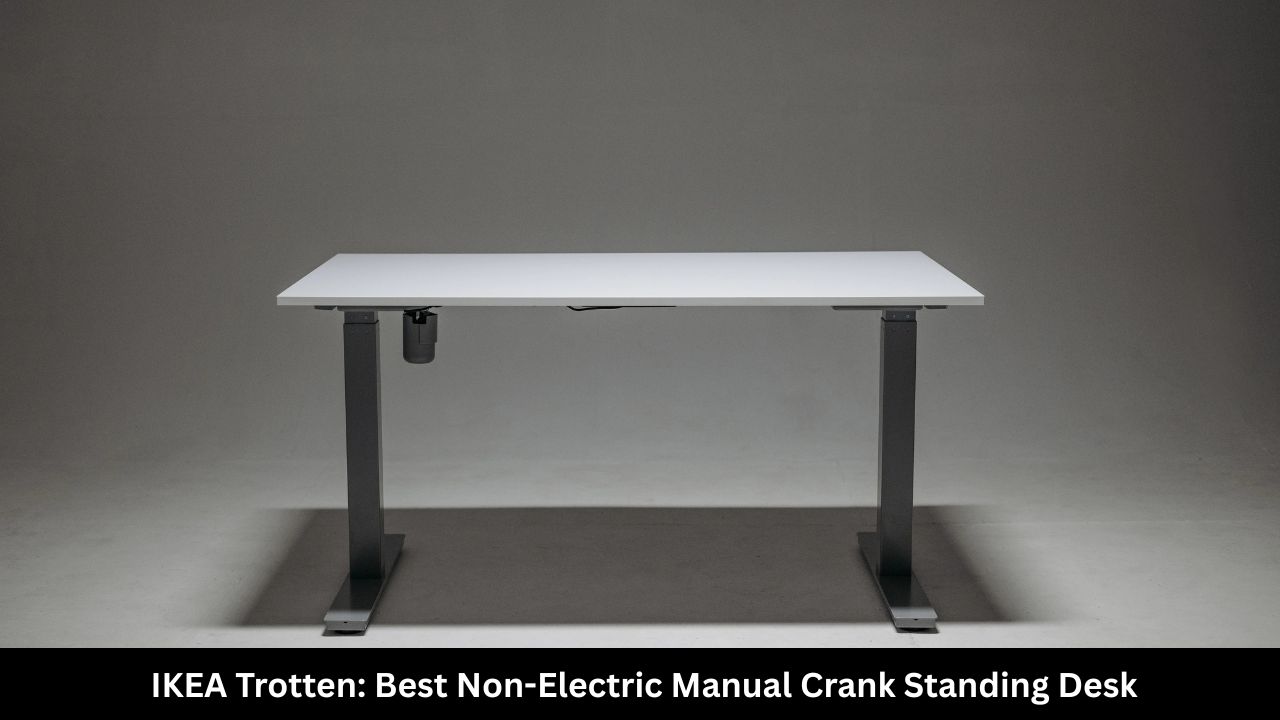
If you prefer to avoid electrical components, power cords, and potential motor failures, the IKEA Trotten is an exceptional choice. It relies entirely on a mechanical hand crank to raise and lower the desk surface. This manual setup allows you to place the desk anywhere in a room without needing to worry about finding a wall outlet.
The hand crank folds completely flat underneath the desktop when you finish turning it. This keep the front edge neat and prevents you from bumping your knees against the handle while sitting.
Key Performance Features
The Trotten features a clean, Scandinavian minimalist design that blends perfectly into any home decor style. The top surface is made of dense, lightweight particleboard and fiberboard covered in a tough, easy-to-clean lacquer finish. Because there are no electronic parts, this desk is incredibly lightweight and simple to move around your home.
Detailed Specifications Table
|
Feature |
Specification Details |
|
Price Range |
$179 – $220 |
|
Desktop Dimensions |
47.25″ x 27.5″ |
|
Height Range |
27.5 inches to 47.25 inches |
|
Weight Capacity |
Supports up to 110 lbs safely |
|
Lifting System |
Manual Folding Hand Crank |
|
Keypad Type |
Mechanical Handle (No Power Needed) |
5. ErgoAV ERDS3-01WN Walnut Desk: Best Premium Styling
Many budget standing desks look basic or overly industrial. The ErgoAV ERDS3-01WN breaks that mold by featuring a beautiful, rich walnut finish desktop paired with a sleek matte metal frame. It looks like a high-end designer desk but carries a very affordable budget price tag.
Beyond its stylish appearance, ErgoAV includes modern conveniences that tech workers love. The digital height controller features integrated USB-A charging ports, allowing you to charge your smartphone, wireless mouse, or tablet directly from the desk panel.
Key Performance Features
The walnut surface features rounded ergonomic edges that prevent wrist fatigue during long typing sessions. The dual-stage lifting pillars provide excellent vertical stability. A built-in metal cable tray hides under the rear edge to keep all your power strips and charging bricks completely out of sight.
Detailed Specifications Table
|
Feature |
Specification Details |
|
Price Range |
$270 – $299 |
|
Desktop Dimensions |
63″ x 28″ (Deep work area) |
|
Height Range |
26.5 inches to 47.0 inches |
|
Weight Capacity |
Supports up to 176 lbs safely |
|
Lifting System |
Premium Motorized Lift Unit |
|
Keypad Type |
Digital Display with USB Charging Ports |
What to Look for When Buying a Budget Standing Desk
Finding a great standing desk under $300 requires checking a few crucial performance metrics. Not all budget desks are constructed the same way. Focus on these four main points before you make a purchase:
1. Stability at Full Height
Almost every standing desk is stable when lowered to sitting height. The real test happens when you raise it above 42 inches. Look for desks built with thick steel legs and wide leveling feet. Avoid frames made with thin aluminum, as they will wobble every time you type or move your mouse.
2. Motor System and Noise Levels
Electric desks use either a single-motor or a dual-motor configuration. Under $300, a high-quality single motor is the standard. Ensure the manufacturer specifies a low noise rating (preferably under 50 decibels). A quiet motor keeps your workspace peaceful and professional.
3. One-Piece vs. Split Desktops
To save on shipping sizes, many budget desks use a split desktop. This means the top surface arrives in two separate horizontal pieces that you bolt together. If you want a perfectly seamless look, search for single-piece tops, or choose a split-top desk with a tight, high-quality seam like the Fezibo.
4. Safety Sensors and Weight Limits
Always check the total weight capacity. A good budget desk should support at least 150 pounds easily. Additionally, look for anti-collision technology. This safety feature stops the motor if the desk hits an object, protecting your office chairs, wall outlets, and pets.
How to Set Up Your Standing Desk Correctly
Getting a sit-stand desk is only the first step. You must position it properly to reap the true ergonomic health benefits. Use these guidelines to set your saved memory presets:
[Proper Sitting Position] –> Elbows at 90 degrees, monitor top at eye level.
[Proper Standing Position] –> Weight balanced on both feet, slight knee bend.
[The Ideal Movement Routine] –> Stand for 20 minutes out of every hour.
- The Sitting Setup: Adjust the desk height so your elbows bend at a perfect 90-degree angle when typing. Your feet must rest flat on the floor, and your computer monitor should sit directly at eye level.
- The Standing Setup: When standing, keep your shoulders relaxed and your wrists straight. Avoid locking your knees. We highly recommend using a cushioned anti-fatigue floor mat to protect your lower back and heels.
- The Transition Plan: Do not try to stand for eight hours straight on your first day. Start slow by standing for fifteen to twenty minutes every hour, then gradually increase your standing time as your body adapts.
Frequently Asked Questions (FAQ)
Are cheap standing desks stable?
Yes, modern budget standing desks are highly stable. While they might experience a very tiny amount of movement at maximum heights compared to $800 commercial models, options like Fezibo and FlexiSpot feature heavy steel frames that keep wobble to an absolute minimum during daily work.
How long do budget standing desk motors last?
Most budget motors are built to endure thousands of up-and-down cycles. Reputable brands offer warranties ranging from two to fifteen years on their mechanical components. If you do not overload the desk past its weight limit, the motor will last for many years of continuous daily use.
Can I install a keyboard tray on a budget standing desk?
Yes, you can install an aftermarket keyboard tray on most budget standing desks. However, you must look underneath the desk first to ensure the mounting brackets will clear the central motor bar, support beams, or structural frame rails.
Is a single-motor desk worse than a dual-motor desk?
Not necessarily. A well-engineered single-motor system is highly reliable and easily lifts 150 to 170 pounds. Dual-motor desks generally move faster and handle heavier weight capacities, but they also cost significantly more. For standard home office setups, a single-motor desk is completely sufficient.
Final Words
Upgrading your home office workspace does not have to cost an entire paycheck. As we have seen throughout this guide, the best standing desks under $300 in 2026 offer everything you need for a healthy, dynamic, and productive work routine. They bring together sturdy industrial engineering, responsive electronic control keypads, and sleek visual designs at prices that fit any budget.
If you want the best overall combination of features and sizing choices, go with the Fezibo Electric Desk. If you prefer simple, long-lasting reliability without extra buttons, the FlexiSpot EC1 is an ideal companion. For those who need maximum space for massive setups, the Anysun 63-Inch Desk delivers a large footprint without stretching your wallet.
Take the time to evaluate your specific workspace size, check your equipment weight, and select the model that fits your lifestyle. Your back, neck, and energy levels will thank you for making the switch.