
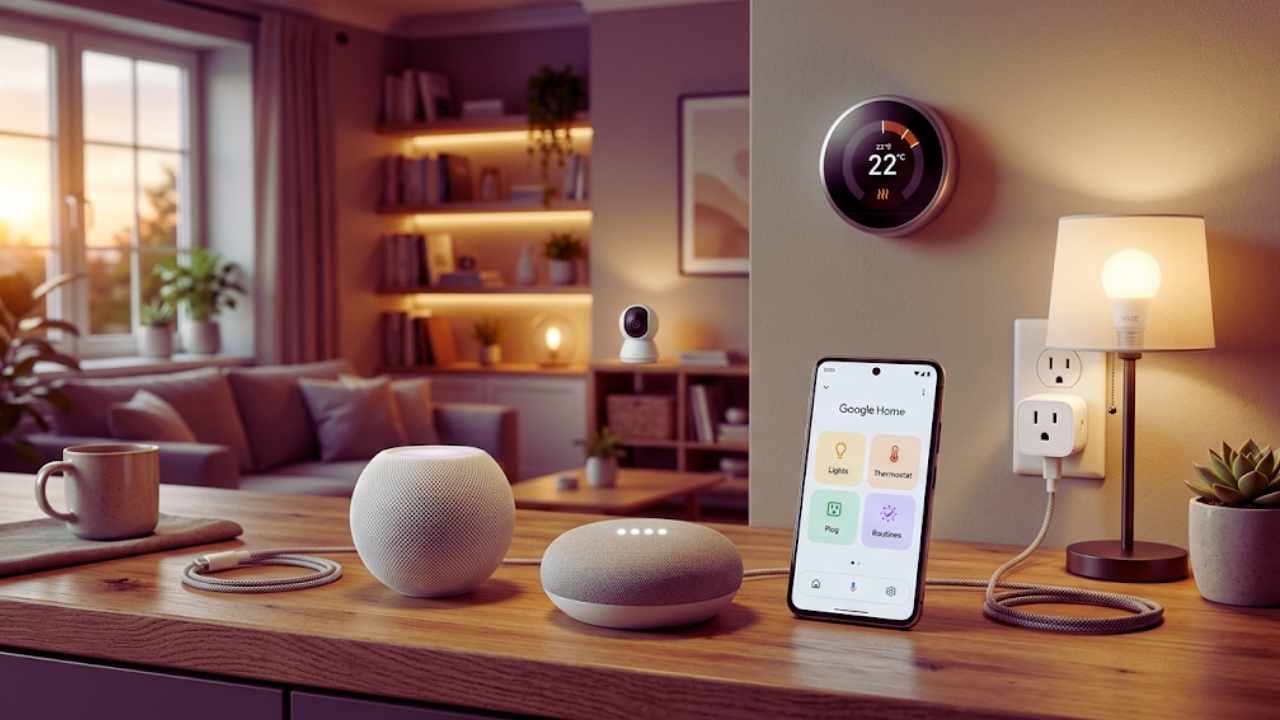
I remember setting up my first automated light bulb years ago. It required a proprietary wall hub, a clunky mobile app, and cost way too much money just to change a room to the color blue. Today, the entire tech industry has completely shifted. Creating an automated living space is no longer a luxury reserved for tech billionaires or hardcore software engineers.
You do not need a massive bank account or an electrician on speed dial to make your house work for you. Hardware costs have dropped drastically, and new universal software standards have finally eliminated the headache of compatibility issues. If you want to dive into automation, creating a budget smart home 2026 setup is easier and cheaper than ever before. We are going to look at the exact hardware you need, how to avoid sneaky monthly subscription fees, and how to get the most value out of every single dollar you spend on your home.
Why 2026 is the Perfect Year to Automate Your Home
The technology market moves incredibly fast, and this year brings unprecedented advantages for everyday consumers. We are finally seeing the end of the fragmented gadget ecosystems that frustrated early adopters for the last decade. Taking advantage of these massive industry shifts will save you serious cash while upgrading your living space.
The Game-Changing Impact of Matter and Thread
For years, the biggest headache in home automation was hardware compatibility. If you bought a switch from one brand and a motion sensor from another, getting them to trigger each other was nearly impossible without third-party workarounds. You usually had to rely on multiple apps, which completely ruined the convenience of the experience. Fast forward to today, and the wide adoption of the Matter standard has solved this core problem for good.
Matter is a universal open-source protocol that ensures gadgets from different manufacturers can seamlessly talk to one another locally. Whether you prefer using Alexa, Google Assistant, or Apple Home, a Matter-certified device will work across all of them instantly. Alongside Matter, the Thread networking protocol creates a low-power mesh network specifically for your smart gadgets. Each device plugged into the wall acts as a signal repeater, strengthening the network as you add more items. You no longer have to buy expensive, brand-specific central hubs just to make things work smoothly.
|
Feature |
Legacy Smart Tech |
Matter & Thread Era (2026) |
|
Device Compatibility |
Walled gardens, brand-locked |
Universal across major brands |
|
Network Reliability |
Clogs home Wi-Fi routers |
Dedicated, self-healing mesh network |
|
Setup Process |
Required multiple apps and accounts |
Scan a single QR code to add |
|
Hub Requirements |
Expensive proprietary hubs needed |
Border routers built into cheap speakers |
Price Drops in Essential Smart Devices
As technology becomes mainstream, mass production actively drives manufacturing costs down to the floor. The baseline cost for entry-level devices has hit an all-time low this year, making a budget smart home 2026 setup highly accessible. The internal components required to make a device smart, such as basic Wi-Fi microchips, contact sensors, and LED hardware, are incredibly cheap to produce at scale now that silicon shortages are over.
Brands are competing fiercely for your attention in a crowded market, resulting in budget-friendly product lines that offer premium, high-end features. You can easily find smart bulbs, electrical plugs, and door contact sensors for just a few dollars online. This high level of market saturation means you hold all the purchasing power as a consumer. You no longer have to pay a premium just for a brand name printed on the side of a plastic retail box. Generic and lesser-known brands utilize the exact same internal silicon as the expensive giants, meaning you get identical performance for a fraction of the cost.
|
Device Type |
Average Price in 2020 |
Average Price in 2026 |
Price Drop Percentage |
|
Color Smart Bulb |
$35 – $50 |
$6 – $12 |
~80% Decrease |
|
Smart Plug with Energy Monitor |
$25 – $40 |
$8 – $15 |
~65% Decrease |
|
Indoor Security Camera |
$60 – $100 |
$25 – $35 |
~60% Decrease |
|
Basic Contact Sensor |
$30 – $45 |
$10 – $15 |
~66% Decrease |
First Steps: Planning Your Connected Home
Throwing random gadgets into an online shopping cart without a clear strategy is a guaranteed way to waste your hard-earned cash. To get the highest return on your investment, you must lay down a solid foundation and plan before buying a single item.
Identify Your Primary Goals
Before entering any payment details, ask yourself what you actually want to achieve with your budget smart home 2026 project. Home automation generally falls into three specific categories: convenience, physical security, and energy savings. Trying to tackle all three at once will quickly drain your wallet and overcomplicate your network. If your main goal is convenience, you might want lights that turn on automatically when you walk into a dark hallway.
If you are focused on security, your priority should be affordable indoor cameras, window sensors, and an automated porch light. If saving money on your utility bills is the primary objective, smart thermostats and energy-monitoring electrical plugs will give you the fastest return on your initial investment. Focusing on one specific goal at a time prevents you from getting overwhelmed and keeps your spending assigned only to things you truly need to fix right now.
|
Primary Goal |
Recommended First Purchase |
Expected Daily Benefit |
|
Convenience |
Smart Bulbs & Voice Speaker |
Hands-free control and automated lighting schedules. |
|
Physical Security |
Indoor Camera & Contact Sensors |
Instant phone alerts for unexpected door openings. |
|
Energy Savings |
Energy Monitoring Smart Plugs |
Kill vampire power draw from large household appliances. |
|
Atmosphere |
RGB Light Strips |
Custom color scenes for movie nights or gaming. |
Set a Realistic Spending Limit
Building a connected house is an ongoing, long-term journey, not a massive one-time purchase. You absolutely do not need to automate your entire property in a single weekend. Setting a strict budget of fifty to one hundred dollars is more than enough to get started with the basics in your primary living room or bedroom. Decide how much cash you are comfortable spending right now and stick to that limit.
Allocate a portion of that to a reliable voice assistant speaker, and use the rest of the funds on functional accessories like a two-pack of bulbs and a single smart plug. Once you see how these integrate into your daily lifestyle, you can gradually expand your system month by month as your budget allows. Treating your home automation like a modular, block-by-block project is the smartest way to manage upfront costs without feeling buyer’s remorse.
|
Budget Tier |
What You Can Expect to Buy |
Best Room to Target |
|
$30 – $50 |
One mini smart speaker and two white smart bulbs. |
Bedroom or Small Office |
|
$50 – $100 |
Smart speaker, four color bulbs, and two smart plugs. |
Living Room or Kitchen |
|
$100 – $150 |
Basic hub, smart lock or thermostat, door sensors. |
Front Entryway |
|
$150 – $200 |
Multiple cameras, sensors, full room lighting, speakers. |
Whole Apartment Setup |
Choose Your Preferred Ecosystem
Even with the universal hardware compatibility provided by Matter, you still need a central software interface to control your home and build automated routines. The three major players dictating the market remain Amazon Alexa, Google Home, and Apple Home. Amazon Alexa boasts the widest range of compatible budget devices and offers very affordable smart speakers during frequent holiday sales events.
Google Home is widely praised for its superior ability to answer complex conversational questions and manage intricate daily routines based on your personal calendar. Apple Home is the ideal choice if you are already deeply invested in the Apple hardware ecosystem, prioritizing strict offline data privacy and seamless integration with your phone or watch. Choose the platform you are already most familiar with, as this mobile app will serve as the primary brain and control center for your entire budget setup.
|
Ecosystem |
Core Strength |
Ideal User Profile |
Voice Assistant |
|
Amazon Alexa |
Massive third-party gadget compatibility. |
Bargain hunters and Amazon Prime users. |
Alexa |
|
Google Home |
Conversational AI and search integration. |
Android users relying heavily on Google services. |
Google Assistant |
|
Apple Home |
Strict local processing and data privacy. |
iPhone, iPad, and Mac power users. |
Siri |
|
Home Assistant |
Total offline control and hyper-customization. |
Tech-savvy DIYers and privacy advocates. |
Assist (Local) |
Best Budget Smart Home 2026 Gadgets to Start With
Finding reliable hardware at rock-bottom prices is easier now than ever before. You do not have to sacrifice build quality or network speed just because you are sticking to a strict spending limit.
Smart Lighting That Does Not Break the Bank

Lighting is usually the main gateway into home automation, and for incredibly good reason. It provides instant visual gratification and genuine daily utility without requiring electrical tools. You do not need to buy expensive, top-tier lighting kits that require proprietary network bridges to get started anymore. Brands like TP-Link Tapo, WiZ, and Sengled offer incredibly cheap LED smart bulbs that simply screw into your existing light fixtures in seconds.
These bulbs connect directly to your local network via Wi-Fi or Matter, allowing you to dim the lights, change color temperatures, and set schedules right from your smartphone screen. You can program your bedroom lamps to slowly brighten over thirty minutes, mimicking a natural sunrise to help you wake up easier without an alarm. You can also set your living room lights to automatically turn on at dusk, making it look like someone is home even when you are traveling.
|
Brand / Line |
Connection Protocol |
Standout Feature |
Price Range (Per Bulb) |
|
TP-Link Tapo |
Wi-Fi / Matter |
Excellent app interface and energy tracking. |
$8 – $12 |
|
WiZ (by Signify) |
Wi-Fi / Matter |
Uses SpaceSense motion detection via Wi-Fi waves. |
$10 – $15 |
|
Sengled |
Zigbee / Wi-Fi |
Extremely reliable connection for large networks. |
$7 – $11 |
|
Wyze Bulb |
Wi-Fi |
Sun Match feature automatically adjusts color temp. |
$9 – $13 |
Smart Plugs for Easy Appliance Control
If you want to make a traditional dumb appliance smart, a Wi-Fi plug is the absolute cheapest and easiest solution available on the market. These small electronic blocks plug directly into your standard wall outlets, and you then plug your floor lamp, box fan, or coffee maker directly into them. Budget-friendly options allow you to cut the power on and off remotely from anywhere in the world using your phone.
More importantly, many of these inexpensive plugs now feature live energy monitoring hardware built right in. You can check your dashboard app to see exactly how many kilowatt-hours your space heater or window air conditioner is actively pulling during the day. Setting an automated timer on a smart plug ensures that high-energy appliances are never left running accidentally when you leave the house. This directly lowers your monthly utility bills, meaning the smart plug will literally pay for itself over a few months of active usage.
|
Appliance Type |
Smart Plug Benefit |
Estimated Money Saved |
|
Space Heaters |
Prevents accidental prolonged usage, cuts fire risk. |
High |
|
Window AC Units |
Turns off when you leave, turns on right before you arrive. |
High |
|
Coffee Makers |
Brews coffee automatically right when you wake up. |
Low (Purely convenience) |
|
Entertainment Centers |
Cuts vampire power drain from TVs and soundbars at night. |
Medium |
Budget-Friendly Security Cameras and Sensors
Home security used to require expensive professional installation crews and steep monthly monitoring contracts that locked you in for years. Today, budget cameras and wireless sensors provide immense peace of mind for a tiny fraction of the historical cost. For less than forty dollars, you can pick up a highly compact indoor camera from reliable brands like Wyze or TP-Link. These cameras offer crisp high-definition video feeds, clear night vision, and two-way audio communication so you can talk to people through the camera.
You can check in on your pets while you are at work or get an instant text notification if motion is detected in your front hallway. Additionally, cheap magnetic contact sensors from brands like Aqara can be placed on doors and windows using basic double-sided tape. These tiny battery-powered devices will send a silent alert if a door is opened unexpectedly, adding a robust layer of perimeter security to your apartment.
|
Security Device |
Average Cost |
Installation Method |
Primary Use Case |
|
Indoor Mini Camera |
$25 – $35 |
Plug into wall, set on shelf. |
Pet monitoring, indoor motion alerts. |
|
Magnetic Door Sensor |
$12 – $18 |
Double-sided adhesive tape. |
Triggering lights when opening a closet or door. |
|
Motion Sensor |
$15 – $20 |
Adhesive tape or screw mount. |
Turning on hallway lights automatically at night. |
|
Water Leak Sensor |
$15 – $25 |
Place on floor near pipes. |
Getting alerts before a basement floods. |
Compact and Cheap Voice Assistants
To truly feel like you live in a futuristic environment, you need hands-free voice control across your entire living space. Reaching into your pocket for your phone, unlocking it, and opening an app every time you want to turn off a desk light can quickly become tedious and annoying. The Amazon Echo Pop and the Google Nest Mini are fantastic entry-level smart speakers that frequently go on sale for under thirty dollars during holiday events.
Despite their incredibly small physical footprint, they feature excellent microphone arrays that can clearly pick up your voice commands from entirely across the room, even with music playing. Placing just one of these cheap speakers in your kitchen or main living space allows you to set cooking timers, ask for weather forecasts, and control all your connected gadgets using just your voice. They act as the absolute perfect budget-friendly command center for your entire starter setup.
|
Voice Assistant Model |
Usual Sale Price |
Best Feature |
Ideal Room Placement |
|
Amazon Echo Pop |
$20 – $25 |
Front-facing directional speaker for clear audio. |
Bedroom nightstand or small office desk. |
|
Google Nest Mini |
$25 – $30 |
Best conversational AI for answering complex queries. |
Kitchen counter for setting timers and recipes. |
|
Apple HomePod Mini |
$90 – $99 |
Incredible sound quality and acts as a Thread border router. |
Main living room for music and central hub control. |
|
Echo Dot (5th Gen) |
$30 – $35 |
Built-in temperature sensor for climate routines. |
Bedroom for triggering smart thermostats. |
How to Avoid Hidden Costs in Automation?
Buying affordable hardware is only half the battle when securing your ecosystem against financial waste. Many massive tech companies heavily discount their physical devices upfront, only to trap you in recurring monthly payment cycles later on.
Beware of Monthly Subscription Fees
Many budget security cameras and video doorbells look like a fantastic deal on the store shelf, but there is a massive catch hidden inside the companion app. The hardware manufacturer might deliberately lock crucial daily features behind a mandatory monthly paywall just to pad their bottom line. For example, some heavily advertised cameras will refuse to record short video clips or utilize advanced person-detection features unless you agree to pay a subscription fee of three to ten dollars every single month.
Over a lifespan of three years, that cheap twenty-dollar camera suddenly becomes a two-hundred-dollar camera. To keep your finances intact, specifically look for hardware devices that offer local physical storage options right on the device. Cameras equipped with a microSD card slot allow you to record and save all your video footage directly to the camera itself, entirely bypassing the need for expensive cloud servers. Always read the detailed fine print before buying a security device to ensure you understand exactly which features are permanently free.
|
Feature Type |
Usually Free |
Usually Locked Behind Paywall (Subscription) |
|
Live Video Feed |
Yes |
No |
|
Motion Notifications |
Yes |
No (Basic alerts only) |
|
Person/Pet Detection |
Rarely |
Yes (Requires cloud AI processing) |
|
Video Clip Saving |
Only if using a MicroSD card |
Yes (Cloud storage costs money) |
The Battle Between Cloud and Local Control
Another heavily disguised cost in the automation world is reliability and network latency. Many ultra-cheap budget smart home 2026 devices rely entirely on cloud servers located halfway across the world to function properly. When you press a button on your phone screen to turn on a ceiling light, that digital signal travels from your router, out to a distant corporate server, and then all the way back to your house. If your home internet goes down, or if the manufacturer experiences a server crash, your house becomes completely unresponsive and broken.
To avoid this frustrating scenario, savvy buyers are actively shifting toward local control systems that do not rely on the outside internet. Devices that communicate locally over Thread networks, Zigbee protocols, or local Wi-Fi process their commands entirely within the physical walls of your own house. This results in lightning-fast response times and ensures your automated routines continue to work perfectly even during a total internet service outage.
|
Architecture |
How it Works |
Pros |
Cons |
|
Cloud-Based Control |
Commands bounce off remote servers. |
Easy to set up out of the box. |
Fails if internet drops; privacy risks. |
|
Local Control (Hub) |
Hub processes commands inside the house. |
Lightning fast; works offline; private. |
Requires buying a hub; steeper learning curve. |
|
Hybrid Systems |
Uses local when possible, cloud for voice. |
Best of both worlds for beginners. |
Still partially dependent on manufacturer servers. |
DIY Smart Home Projects for the Tech-Savvy
If you have a free weekend to spare and a willingness to learn basic electronics, building your own hardware offers unparalleled financial savings. The global maker community has exploded recently, providing incredible open-source software tools that let you bypass corporate constraints.
Upgrading Existing Tech with Arduino Boards
Instead of throwing away your perfectly good old appliances just to buy brand new smart versions, you can simply upgrade them yourself for a few dollars. Tiny microcontrollers like the Arduino Nano or the ESP32 chip can be purchased online in bulk for just three to five dollars a piece. These incredibly small circuit boards feature built-in Wi-Fi and Bluetooth capabilities right on the bare silicon. With a little bit of basic soldering and some simple copy-and-paste open-source code from community forums, you can wire a microcontroller directly into your existing electronics.
Enthusiasts have used these low-cost computing boards to create custom irrigation systems that water their garden plants automatically based on real-time weather forecast data. Others have built custom LED light strips for their television backlights or fully automated their manual window blinds using cheap stepper motors. Doing the labor yourself not only saves a massive amount of money but also gives you complete granular control over how every single device operates in your space.
|
DIY Project Idea |
Hardware Needed |
Difficulty Level |
Estimated Cost |
|
Smart Plant Monitor |
ESP32 board, capacitive soil moisture sensor. |
Beginner |
$8 – $12 |
|
Automated Blinds |
ESP32 board, generic stepper motor, 3D printed gears. |
Advanced |
$20 – $30 |
|
Custom LED TV Backlight |
Wemos D1 Mini, WS2812B LED strip, power supply. |
Intermediate |
$15 – $25 |
|
Garage Door Opener |
ESP8266 board, basic relay module, magnetic sensor. |
Intermediate |
$10 – $15 |
Custom Firmware for Better Privacy
A very common and valid concern with ultra-cheap generic smart devices is raw data privacy. Some extreme budget brands have highly questionable data collection practices, actively routing your daily usage habits and network data through unsecure servers overseas without your explicit permission. For the tech-savvy individual, there is a highly popular workaround known as firmware flashing. This process involves buying a cheap, generic smart wall switch and completely wiping its factory default software using your computer.
You then install custom, open-source firmware like ESPHome or Tasmota onto the internal chip via a serial connection. This action completely disconnects the hardware from the original manufacturer’s cloud network, forcing the device to communicate strictly within your own highly secure local Wi-Fi network. It is the ultimate way to get the massive hardware savings of budget devices while maintaining the intense security and privacy of a premium, professional-grade enterprise system.
|
Custom Firmware |
Best Used For |
Setup Difficulty |
Cloud Dependency |
|
ESPHome |
Creating custom sensors and integrating with Home Assistant. |
Intermediate |
100% Offline (Zero Cloud) |
|
Tasmota |
Flashing store-bought smart plugs and switches. |
Intermediate |
100% Offline (Zero Cloud) |
|
WLED |
Controlling addressable RGB LED light strips seamlessly. |
Beginner |
100% Offline (Zero Cloud) |
|
OpenBeken |
Flashing newer, non-ESP chips found in cheap modern bulbs. |
Advanced |
100% Offline (Zero Cloud) |
Final Thoughts
Building an automated living space from scratch does not have to be a stressful or expensive endeavor. Smart living is no longer about adding more screens and devices; it is about removing friction from your daily routine seamlessly. By carefully taking advantage of universal communication standards like Matter, focusing heavily on highly functional foundational devices like smart plugs, and actively avoiding sneaky subscription traps, you can create a highly intelligent living space for very little money.
A proper budget smart home 2026 build relies on strict strategic planning rather than blindly throwing cash at expensive luxury brand names. Start small with a single room, strictly monitor your appliance energy usage to save money, and enjoy the distinct convenience of living in a modern, automated house today.
Frequently Asked Questions (FAQs) About Smart Home Budget 2026
What are the best affordable smart home appliances to start with?
Smart LED bulbs and Wi-Fi electrical plugs are universally the best entry points for absolute beginners. They are incredibly cheap to purchase, require zero technical tools to install, and offer immediate tangible benefits like remote scheduling and energy monitoring. Pairing a few of these with a cheap budget voice assistant creates a perfect foundational setup for any beginner looking to experiment.
Are cheap smart home devices actually reliable?
Yes, affordable devices from highly reputable budget brands like TP-Link Tapo, Wyze, and Sengled are exceptionally reliable today. The internal silicon technology powering these gadgets has become highly standardized across the entire industry. However, you should always verify that the device officially supports modern networking protocols like Matter or Thread to ensure the best long-term experience and network stability.
What exactly is the Matter standard for smart appliances?
Matter is an open-source connectivity standard created jointly by major tech giants to ensure all devices work together seamlessly regardless of brand. If a new device has the Matter logo on the retail box, it means it will work perfectly with Apple, Google, and Amazon ecosystems right out of the box. This effectively ends the era of buying a gadget only to find out it does not support your preferred voice assistant app.
Do I really need a separate hub for budget gadgets?
Not always. Many modern budget devices connect directly to your existing home Wi-Fi router without needing any separate proprietary hub plugged into your wall. However, as your device count grows past twenty items, investing in a basic Thread border router or a Zigbee hub will significantly improve command response times and completely reduce the strain on your Wi-Fi bandwidth.
Can I run a smart home locally without using the cloud?
Yes, using dedicated local software platforms like Home Assistant or Hubitat allows you to run your entire device network completely offline. This means your automated routines will process instantly and continue to function perfectly even if your internet service provider goes down for the day. It also provides a massive boost to your personal data privacy since your daily habits are never uploaded to a corporate server.
Will older Wi-Fi devices still work in a budget smart home 2026 setup?
Yes, older Wi-Fi smart devices will continue to function normally on your existing 2.4GHz home network. The introduction of Matter and Thread does not instantly break legacy hardware you already own. Most major ecosystem apps like Google Home and Alexa are specifically designed to bridge older Wi-Fi gadgets with newer Matter devices, allowing them to trigger one another seamlessly in your daily automated routines.